Last updated: November 19, 2026
Quick Answer: Teen money safety and fraud protection works best with 3 habits: lock down accounts, verify every transfer, and watch for warning signs before money leaves. Teen Money Safety and Fraud Protection — The Complete Guide — teen money safety covers the practical steps teens can use to protect a bank account, debit card, cash app, payment app, PIN, and password from thieves, scammers, and strangers.
Teen money safety means keeping a teen’s bank account, debit card, cash app, payment app, PIN, and password out of the hands of thieves, scammers, and strangers. The safest plan is usually simple: lock down access, use careful payment habits, and watch for warning signs before small problems become lost money.
What teen money safety looks like in real life
Teen money safety is a set of habits that keep money usable without making it easy to steal.
A teen does not need a perfect setup. A teen needs a controlled one. That means a bank account with alerts turned on, a debit card kept separate from the phone, a PIN no one else knows, and a password that is not reused across apps. It also means knowing what fraud looks like before it shows up as a drained balance or a mystery transfer.
This matters because teens often move money in faster, looser ways than adults do. A cash app or payment app can make splitting lunch or paying a friend feel instant. That speed is useful, but it also makes mistakes harder to undo. A transfer sent to the wrong person may be gone. A login shared with a friend can become a long-term access problem. A fake seller can vanish after the payment clears.
The core rule is plain: the fewer people who can touch the money, the safer it stays. Privacy is part of safety here. So is friction. A few extra seconds to confirm a name, re-enter a password, or check the amount is cheaper than fixing a fraud mess later.
This guide is for teens who already use a debit card, bank app, or payment app and want fewer surprises. It is not for someone trying to get cash back from a lost card or sort out bank fees; those are separate problems.
The setup that protects a teen’s money first

A locked-down setup with alerts, unique credentials, and device security is the starting point for teen money safety.
Start with the basics and keep them boring. Boring is good when money is involved.
- Set a strong password for every money app and the bank login. Use at least 12 characters if the app allows it, with a mix of words, numbers, and symbols. The result should be a password that cannot be guessed from a birthday, school name, or pet name.
- Turn on 2-factor authentication if the app offers it. A code sent by text or an authenticator app adds a second step before anyone gets in. That extra step blocks many fast takeover attempts.
- Use a separate PIN for the debit card. Keep it private and avoid obvious patterns like 1234 or a birth year. A 4-digit PIN is common, so in teen money safety it should be treated like a key, not a memory aid; if a teen is unsure about the best setup, a parent, bank, or other qualified professional can help.
- Enable alerts for every transaction. Set notices for purchases, transfers, card-not-present activity, and password changes. An alert should arrive within minutes, not after a weekly statement.
- Lock the phone itself. A 6-digit phone passcode is better than a 4-digit one, and biometrics help only if the passcode is still private. If someone gets the phone, the money apps should not open easily.
- Check recovery settings. Make sure the email address and phone number tied to the bank account are current. If a password is reset to an old number, the wrong person may get the code.
- Review linked devices and saved sessions once a month. Remove old tablets, shared family phones, and anything that no longer needs access.
The biggest mistake is treating a payment app like a social app. Money apps are not for casual sharing. If a friend can log in, change settings, or approve a transfer, the setup is too open. If a teen is unsure whether a money app setup is secure enough, a bank representative or other qualified professional can help.
For official guidance on safer passwords and account recovery, NIST’s Digital Identity Guidelines are a useful standard to know by name. For consumer fraud trends and red flags, the FTC’s fraud guidance pages are practical starting points. The CFPB also explains common payment and account protections for consumers.
How should teens protect financial accounts?
Teens should protect financial accounts by separating access, checking activity often, and never sharing login details.
That answer sounds obvious until a school day, a group chat, or a rush at checkout gets in the way. A practical routine keeps the money side from turning into guesswork.
First, read the bank app and payment app settings before the first transfer. Know where the balance lives, where recent activity appears, how to freeze a debit card if the app allows it, and where to turn on alerts. It takes about 10 minutes to learn once and saves time later.
Second, review the latest transactions every few days. That does not mean staring at the app all day. It means checking for unknown merchants, duplicate charges, tiny test charges, or transfers you do not recognize. Fraud often starts small.
Third, never give a friend the PIN, the password, or the verification code. Even a trustworthy friend can accidentally expose it by screen-sharing, forwarding a text, or using a shared device. If two people know a code, it is no longer private.
Fourth, avoid signing in on public Wi-Fi when the login can wait. A school network or café hotspot is not automatically dangerous, but it adds risk if the phone is already unsecured. If a teen is unsure about logging in on a public network, a parent, school tech contact, or other qualified professional can help them choose the safer option. If a login must happen in public, use cellular data when possible and sign out afterward.
Fifth, keep the money app off shared phones. A parent’s old phone or a sibling’s tablet may still hold saved logins, old notifications, or auto-fill data. That is convenient for a minute and risky for months.
Common mistakes here are small but expensive. Reusing a password can lead to a full takeover. Leaving alerts off can turn a same-day problem into a week-old one. Sharing a login with a friend can make it impossible to prove who authorized a transfer. The fix is dull and effective: one person, one password, one device when possible.
If the teen uses a bank account linked to a card, it helps to treat the app as the control panel and the card as the spending tool. Keep those roles clear.
Safe payment habits for cash app and other payment apps
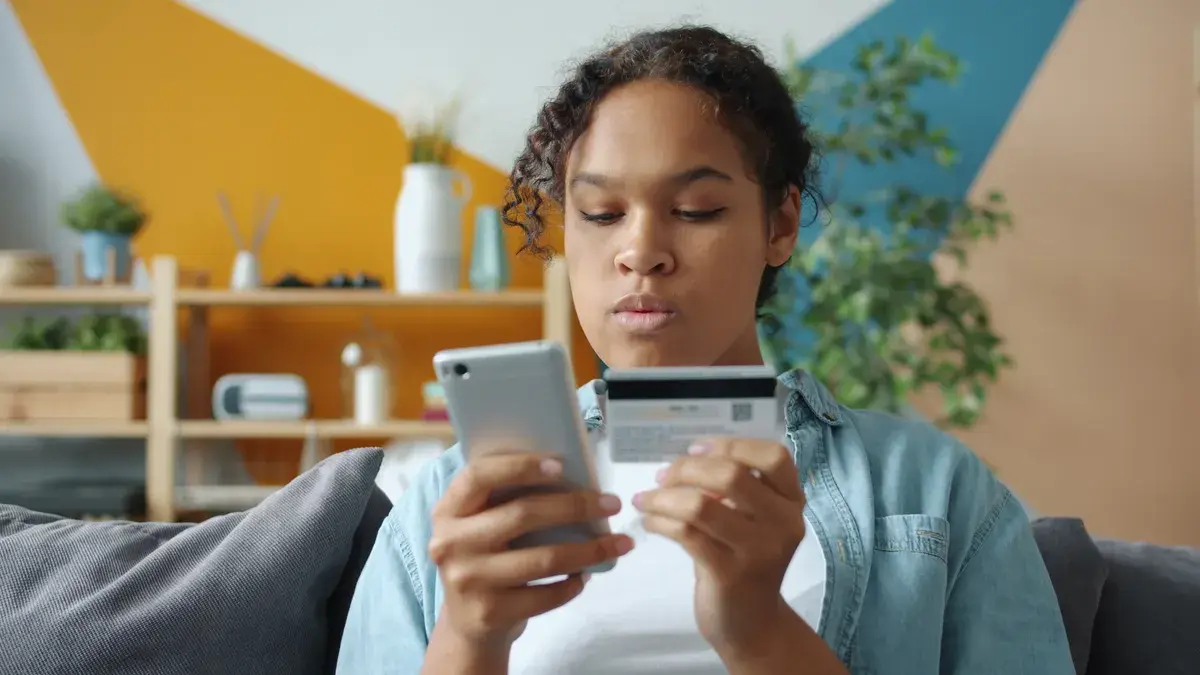
Safe payment habits are the difference between a quick transfer and money that disappears into the wrong place.
The biggest trap is speed. A payment app can make sending money feel like texting. That is exactly why mistakes happen. The name on the screen can look close enough, the amount can be one tap too high, and the request can arrive from someone pretending to be familiar.
Use this rule before every transfer: pause for 5 seconds and verify the person, the amount, and the reason. If any one of those three feels off, stop.
When paying someone new, send only a small amount first if the app supports it and the situation allows it. That is useful for splitting a ride or paying a peer for a secondhand item. A small test transfer can expose a wrong recipient name before the full amount goes out.
When buying from another person online, do not pay as “friends and family” if the platform has no purchase protection for that path. A cash app or payment app may be easy to use, but easy is not the same as protected. If the transaction is a purchase, use the most protective option the platform offers, or choose a different payment method.
Do not use a payment app to “verify” a work opportunity, rental, prize, or refund. Those are classic pressure points for fraud. A stranger asking for a payment before anything is delivered is a red flag, not a normal step.
If someone says the money must be sent “right now,” slow down. Urgency is part of the scam, not proof of legitimacy. A real friend can wait 2 minutes for a name check.
A practical habit helps here: read the confirmation screen aloud before tapping send. If the name, amount, or note sounds wrong out loud, it probably is.
This section is not for people who need to resolve a bad transfer or chase a missing payment. It is for preventing the problem in the first place.
Fraud warning signs teens should not ignore
Fraud warning signs usually show up as pressure, mismatch, or secrecy.
A message that demands immediate action is a warning sign. A payment request from someone who “just changed numbers” is another. So is a seller who will not let the buyer use a normal checkout path. The pattern matters more than the wording.
Watch for these signs:
- Urgency: “Send it in 10 minutes” or “last chance” often means the sender wants no time for checking.
- Too-good-to-be-true offers: A cheap phone, concert ticket, or item priced far below normal should be treated with suspicion.
- Requests for codes or logins: No legitimate person needs a PIN, password, or verification code to pay or receive money.
- Changed contact details: A familiar name from a new number, new email, or new account can be an impersonation attempt.
- Odd payment routes: Being pushed to move from one app to another, or to use a method with no purchase protection, is a bad sign.
- Pressure to keep it private: “Don’t tell your parent,” “don’t screenshot this,” or “don’t use the app notes” is a cue to stop.
A teen should also pay attention to the message style. Scams often have tiny errors, strange greetings, or odd timing. Those are not proof by themselves, but they raise the cost of rushing. The goal is not paranoia. The goal is a pause.
If something looks wrong, do not argue with the sender inside the same thread. Close it, verify through a separate channel, and check the actual account activity in the app. Scammers often depend on keeping the conversation moving.
A useful standard here is simple: if the message creates stress before it creates clarity, treat it as risky.
Money privacy at home, at school, and online
Money privacy means keeping balance, spending, and login details visible only to the people who truly need them.
Not every money detail should be public inside a family group chat, on a shared laptop, or in a classroom conversation. Privacy is not secrecy for its own sake. It is a barrier against mistakes and pressure.
At home, avoid leaving bank statements, debit card photos, or app screenshots on shared devices. Auto-fill can expose names, partial card numbers, and old addresses. Clear browser save data on shared computers and log out after every session. A shared tablet with a remembered password is a weak lock.
At school, do not announce how much is in the bank account or what app is being used. That kind of talk can invite social pressure, borrowing, or targeted theft. A backpack, locker, or gym bag is not a safe place for a debit card unless it is locked away. Even then, it should not sit loose in an outer pocket.
Online, protect the email account tied to money tools. A payment app is only as private as the inbox attached to it. If someone can read password resets, they can often move through the rest of the system. Use a different password for email, and turn on login alerts there too.
Be careful with screenshots. A screenshot of a balance, card, or transfer history can include names, partial numbers, and transaction clues. If a screenshot must be shared for a legitimate reason, crop it hard and send it once. Then delete it from the camera roll and the shared album if one exists.
The trade-off is real: privacy takes effort. It means a few more logins, a few fewer saved screenshots, and a little less convenience. The payoff is fewer people who can guess, see, or misuse the money trail.
What to do the moment something looks wrong
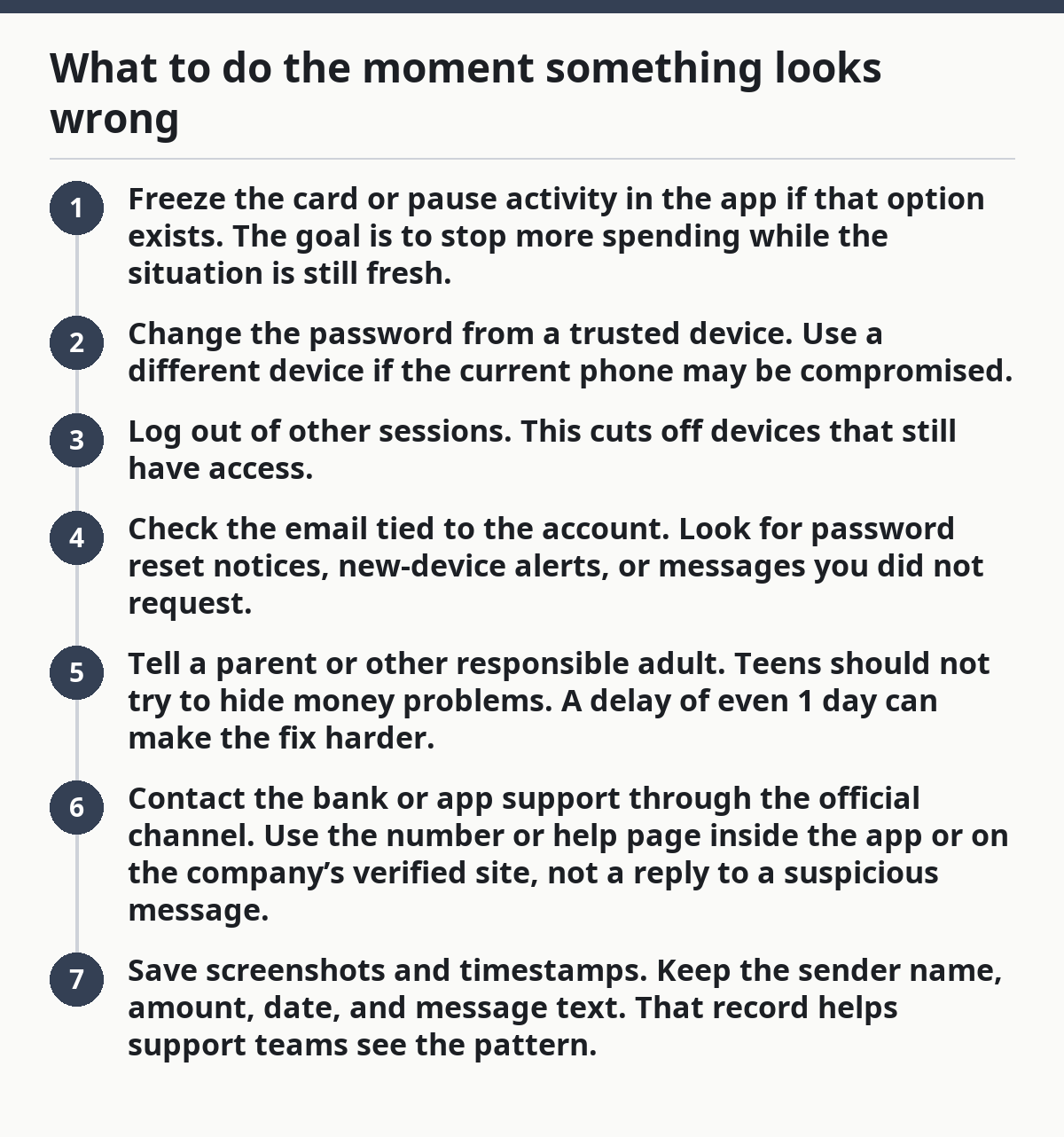
Act in 10 minutes if possible: stop the transaction, secure the login, and tell the right adult or support team.
If a teen sees an unknown charge, a strange login, or a payment sent to the wrong person, speed matters. The response should be short and orderly.
- Freeze the card or pause activity in the app if that option exists. The goal is to stop more spending while the situation is still fresh.
- Change the password from a trusted device. Use a different device if the current phone may be compromised.
- Log out of other sessions. This cuts off devices that still have access.
- Check the email tied to the account. Look for password reset notices, new-device alerts, or messages you did not request.
- Tell a parent or other responsible adult. Teens should not try to hide money problems. A delay of even 1 day can make the fix harder.
- Contact the bank or app support through the official channel. Use the number or help page inside the app or on the company’s verified site, not a reply to a suspicious message.
- Save screenshots and timestamps. Keep the sender name, amount, date, and message text. That record helps support teams see the pattern.
Do not delete evidence before the issue is reported. A clean inbox feels nice, but a missing record can slow the recovery process.
A real drawback of modern money tools is that they make fast sending easy and fast correction hard. That is why the first 10 minutes matter so much.
The habit that makes teen money safety stick
Teen money safety sticks when the same 3 checks happen every time: who is asking, what is being sent, and whether the app details match.
A teen who uses a bank account, debit card, cash app, or other payment app does not need a complicated system. The useful system is repeatable. Check the name. Check the amount. Check the reason. If any part feels rushed, strange, or private in the wrong way, stop and verify.
The most common error is trusting convenience more than confirmation. That mistake is expensive because it feels harmless right up until the money is gone. The better habit is to make each transfer slightly slower than the scam wants it to be.
This guide is not meant for people who want to micromanage every dollar. It is for teens who need a practical, low-drama way to keep money safe while still using normal tools.
Key Takeaways
- Use a private password, a separate PIN, and 2-factor authentication wherever the app offers it.
- Turn on transaction alerts so strange activity shows up fast.
- Treat payment apps like cash, not like chat threads.
- Keep login details, codes, and screenshots away from shared devices and shared people.
- If a transfer, login, or request feels rushed, pause and verify before money leaves.
Drafted with AI; not yet reviewed by a person.