Last updated: November 20, 2026
Key Takeaways
- Online purchase controls decide web and app spending, not every card use.
- To enable online purchases, open card controls, find the ecommerce switch, and change it to on.
- To disable online purchases, return to the same setting and switch it back off or blocked.
- Recurring payments may continue briefly, or fail at the next billing attempt, depending on the merchant.
A teen debit card’s online purchase setting is the switch you need when you want card-not-present spending on or off. Quick Answer: one switch controls online merchant charges, and it can usually be changed in the bank app in a few taps. Turn it on in card controls, and online merchants can charge the card; turn it off, and those purchases should fail. The steps below settle where to find the setting, what changes, and what happens to subscriptions for How Teens Can Turn On and Off Online Purchases on a Teen Debit Card.
What the online purchase setting does on a teen debit card
The online purchase setting controls whether a debit card can be used with an online merchant, not whether the card works everywhere. It changes card-not-present spending, which is the kind used on websites, in apps, and for many recurring payments.
Picture this: you’re holding a teen debit card and you want to buy something on a website without opening the door to every kind of payment. The setting in the bank app or card controls usually lets a parent or guardian decide that one thing without changing the card’s in-store use. That matters because the same plastic card can be used in a shop, at an ATM, or online, and those are separate controls on many teen accounts.
Here’s the catch: some banks label the switch in plain words, while others bury it under card controls, ecommerce settings, or “online and phone purchases.” If the card is part of a teen account, the teen may see the setting but the parent or guardian may need to approve the change first.
- Online purchase setting = card-not-present spending
- Not the same as freezing the card
- Not the same as a spending limit
- Often tied to parent approval
For more on card controls, see the FTC’s overview of debit card protections.
How do you turn online purchases on?
You turn online purchases on by opening the card controls in the bank app, finding the ecommerce or online-merchant switch, and changing it from off to on. The change should show as enabled right away or after a short approval step.
Picture this: you’re in the app, and you just want one clean path to checkout on a site that accepts debit cards. The exact labels vary by bank, but the job is the same: find the teen card, open its controls, and look for anything that mentions web, online, digital, or card-not-present payments. If the app asks for a 4-digit PIN, passcode, or biometric check, that’s normal.
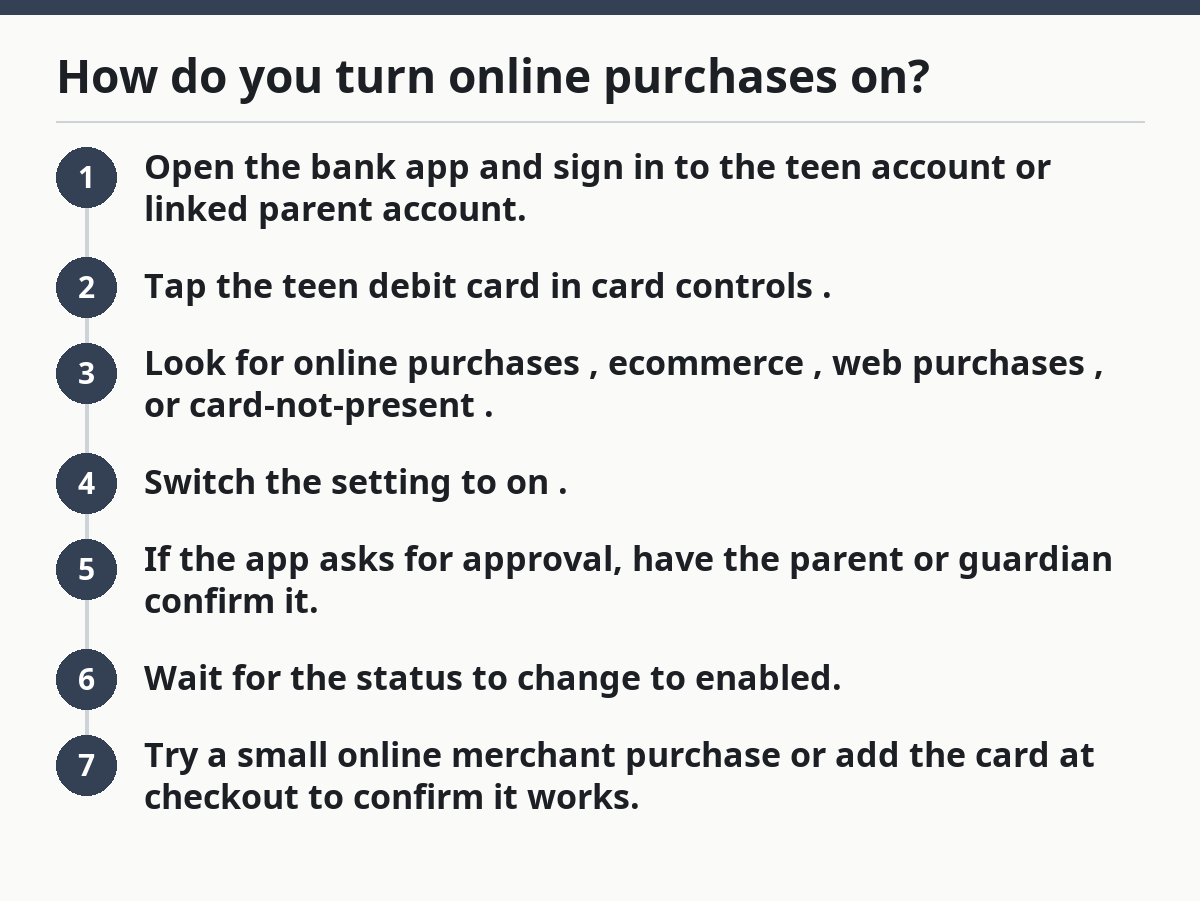
- Open the bank app and sign in to the teen account or linked parent account.
- Tap the teen debit card in card controls.
- Look for online purchases, ecommerce, web purchases, or card-not-present.
- Switch the setting to on.
- If the app asks for approval, have the parent or guardian confirm it.
- Wait for the status to change to enabled.
- Try a small online merchant purchase or add the card at checkout to confirm it works.
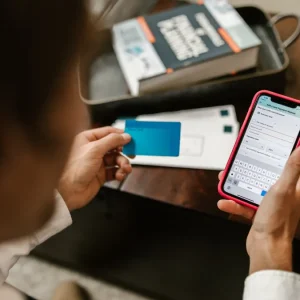
When it works, the app usually shows the setting as on, enabled, or allowed. If the merchant still declines the card, the block may be from the seller, the wrong billing address, or a separate merchant category block.
For merchant-side payment behavior, Visa’s merchant acceptance guidance explains why a card can be declined even when the card setting is on.
How do you turn online purchases off again?
You turn online purchases off by returning to the same setting and switching it back to off or blocked. That should stop new online merchant charges, while leaving other card use alone if the bank separates controls.
Picture this: you want to stop a teen card from being used on websites for a while, but you don’t want to cancel the whole card. The switch is usually faster than replacing the card and less disruptive than freezing the account. It is the right move when a card needs a tighter boundary without touching in-person use.
- Open the bank app.
- Go back to the teen card’s card controls.
- Find the online purchase or ecommerce setting.
- Turn it off.
- Check for a status label such as blocked, disabled, or not allowed.
- Test with a small online merchant checkout only if you need to confirm the block.
- If the app asks for parent approval, complete it.
The best part is that turning it off is usually reversible in the same place. If the bank app has separate switches for online, in-store, and ATM use, only the online setting should change.
What happens to subscriptions and recurring payments?
Recurring payments may keep going for a short time, or they may fail on the next billing attempt, depending on how the merchant processes them. Turning off online purchases may not cancel a subscription.
Picture this: you’ve got a music app, a game pass, or a streaming charge tied to the teen debit card. Turning off online purchases can block the next renewal, but the merchant may still try to collect payment later, and some processors retry a charge before giving up. A subscription that already billed successfully usually stays paid for that cycle.
If the goal is to stop a subscription, do two things:
- Turn off the online purchase setting in card controls.
- Cancel the subscription with the merchant itself.
That second step matters because the card setting and the merchant’s billing record are not the same thing. A merchant can still show an active plan even after the card is blocked for web purchases, and that can lead to a missed-payment notice later.
On the flip side, if the teen only needs a break from random shopping sites, turning off the setting may be enough. For a recurring service, it’s a stopgap, not a clean cancellation.
The CFPB explains that consumers should cancel subscriptions directly with the merchant when they want to stop billing.
What if a parent or guardian has to approve it?
A parent or guardian may have to approve the change if the teen card lives inside a linked family account. That approval can happen in the parent’s app, through a push alert, or inside shared card controls.
Picture this: you make the change and the app does not flip right away. That usually means the bank built a two-step flow for teen accounts. The teen may request the change, but the parent or guardian finalizes it, and the bank app keeps the card in a pending state until that happens.
Look for these signs:
- “Request sent”
- “Waiting for approval”
- “Pending parent action”
- A notification in the parent app
If the approval never comes through, check that the parent account is linked to the teen card and that notifications are turned on. Some banks also require the parent to enter a passcode or use biometrics before the switch is saved.
This is one of the few spots where the bank app design really matters. A card controls screen that looks simple on one phone can hide a second approval step on another. For help with account security, the FTC’s biometric guidance is a useful reference.
Common mistakes that cause the setting to fail
The online purchase switch fails most often because the wrong control was changed, not because the card is broken. A blocked merchant category, a frozen card, or a pending approval can all look like one problem.
Picture this: you turn something off, then a website still won’t take the card, and it’s hard to tell why. That confusion usually comes from mixed controls. Online purchases, merchant blocks, cash withdrawal limits, and card freezes do different jobs.
Common mistakes:
- Changing the wrong card. Some teen accounts have more than one card or a virtual card. Fix: open the exact teen debit card you want, not the account overview.
- Using a merchant block instead of the online switch. A block on international sites or gambling sites is not the same as a general ecommerce setting. Fix: check both if the purchase still fails.
- Forgetting parent approval. The app may look changed but stay pending. Fix: confirm the approval status in the parent or guardian account.
- Confusing subscription cancelation with card controls. A service can keep retrying after the card is blocked. Fix: cancel with the merchant too.
- Thinking in-store use will stop too. It usually won’t if the bank splits controls. Fix: verify whether the bank app has separate toggles.
A quick test with a small online merchant checkout tells you more than guessing does. If you need a general reference on payment disputes and card use, the CFPB’s debit card resource is a solid starting point.
Will turning this setting change in-store card use?
No, turning off online purchases usually does not stop in-store card use if the bank separates those controls. The card can still work at a physical register while web purchases are blocked.
Picture this: you want the teen card to work for lunch or a bus fare, but not for late-night shopping online. That’s exactly where a separate online purchase setting helps. The card can still be swiped, tapped, or inserted in a store if those settings stay on.
If in-store use stops too, the bank likely changed a different control, such as a full card freeze or a broader merchant restriction. That is a different action with a different result. The simplest check is to look back in card controls and see whether the bank app lists separate settings for:
- In-store purchases
- Online purchases
- ATM withdrawals
- International use
The truth is, not every teen debit card app uses the same labels, but the pattern is usually the same. Online is one switch. In-person spending is another.
For a broader guide to teen account controls, see the hub on Teen Debit Card and Spending Controls.
Will disabling online purchases stop subscriptions?
Some subscriptions stop on the next billing attempt, but some keep running until the merchant is told to cancel. A subscription can already be active when you switch the card setting off.
A subscription can already be active when you switch the card setting off, so the service may stay live until the paid period ends. If the merchant retries the charge, the card block may cause it to fail later. The safest move is to cancel the subscription with the merchant and keep the online setting off if you want the card closed to web spending.
Can teens use the setting for international sites?
Sometimes, but not as a rule. International sites may be controlled by a separate merchant or geographic block, not the online purchase setting alone.
A bank can allow online purchases while still blocking foreign transactions, or the other way around. If a site is outside the card’s home country, the decline may come from an international-use setting, a foreign-merchant filter, or fraud controls in the bank app. Check the card controls screen for a separate international toggle.
Does this affect in-store card use?
Usually, the online purchase setting is meant to control web and app spending, not tap-to-pay or store checkout. The online purchase setting is separate from in-store use.
If the card stops working at a store, look for a full freeze, a card lock, or another merchant block. Those are broader than the online setting and can shut down more than web purchases. In most teen debit card setups, in-store use keeps working unless a different control was changed.
Drafted with AI; not yet reviewed by a person.