Last updated: November 19, 2026
Key Takeaways
- A variable work schedule shifts from week to week, so one Tuesday can become a Saturday.
- Teens can manage an unpredictable work schedule by sorting the week into fixed, likely, and open time.
- Teens should use one place and one day each week to check shifts, then update a calendar app right away.
- Teens should bring up schedule conflicts early, clearly, and with one backup option ready.
Quick Answer
A teen can handle a changing work schedule by reviewing it weekly, locking in school and sleep first, and updating one calendar right away. For a simple system, use 3 layers, keep at least 1 planning check each week, and confirm any conflict with the manager early.
A variable work schedule gets easier when a teen treats it like a moving target: check it early, block the hours that cannot move, and tell the manager about conflicts before the week starts. How Teens Can Handle a Work Schedule That Changes Every Week starts with one simple habit: put the schedule in one place and trust that system more than memory. The goal is not to guess every shift. The goal is to stay one step ahead of the changes.
What a variable work schedule means in real life
A variable work schedule means the hours are not fixed from week to week, so a teen may work Tuesday evening one week and Saturday morning the next. That kind of schedule can be manageable, but only if the teen has a system for tracking the work schedule, the school calendar, and any standing commitments in one place.
The first thing to understand is that a changing schedule is not the same as a bad schedule. Some jobs, especially in retail, food service, and seasonal work, post shifts in batches or adjust hours based on demand. That can make planning harder, but it also means the teen has to plan in shorter cycles. A 7-day view is usually more useful than a monthly one, because the schedule may change before the month even feels settled.
A good rule is to treat the work schedule as provisional until the manager confirms it, but teens should check workplace rules and local labor guidance rather than assume every posting method works the same way. That matters because a teen can waste time building a whole week around hours that get shifted later. The fix is simple: mark the posted schedule, then mark only the parts that are truly locked in, such as class time, a 3:30 p.m. rehearsal, or a family dinner that happens every Wednesday.
This is where many generic time-management tips fall short. “Use a planner” is not enough when the problem is uncertainty. A teen needs a repeatable process for each new week, not a perfect calendar. The rest of this guide gives that process and shows how to keep it working when the shifts move again.
How can teens plan around an unpredictable work schedule?
Teens can plan around an unpredictable work schedule by building the week in 3 layers: fixed commitments, likely work shifts, and open time. That gives enough structure to make the schedule usable without pretending every hour is settled.
Use this simple weekly routine:
- Open the school calendar and list the fixed items first: classes, tests, club meetings, sports practices, and any time a parent already blocked off. A 30-minute review on Sunday night is usually enough to catch most conflicts.
- Put the work schedule into a calendar app as soon as it arrives. Color-code work, school, and personal time so a quick glance shows where the week is crowded.
- Mark every shift start and end time, then add travel time. If the job is 20 minutes away, a 4:00 p.m. shift should be treated like a 3:40 p.m. leave time, and teens should confirm commute assumptions with a parent or other trusted adult if they are unsure.
- Reserve a buffer of at least 30 minutes before and after a shift when possible. That cushion helps if the bus is late, homework runs long, or a manager calls with a small change.
- Choose 2 backup study blocks of 45 to 60 minutes in open slots. If one work shift moves, those blocks can slide instead of disappearing.
- Review the calendar each morning for 2 minutes. That quick check catches changes before the day gets away from the teen.
The point of this system is not to crowd the day. It is to make the week visible. A teen who can see a Tuesday shift, a Thursday quiz, and a Friday practice on the same screen is far less likely to miss something important.
A common mistake is waiting until the night before to plan. That costs sleep and creates last-minute stress. A better move is to set aside one fixed planning window each week, even if it is only 15 minutes, so the schedule gets updated before the pressure builds.
This also works better than carrying everything in memory. A schedule that changes every week is exactly the kind of thing a person forgets once school gets busy. For more help with school-time planning, the hub on teen income and first-job choices can help frame the bigger picture without turning this page into a job-search guide.
What should a teen do when shifts keep changing?
A teen should ask for the schedule in the same place and on the same day each week, then update a calendar app immediately when the shifts change. Consistency beats memory, especially when the manager posts changes through text, a paper schedule, or a workplace app.
The biggest problem with changing shifts is not the change itself. It is the delay between the change and the teen seeing it. A schedule posted on a board at work does no good if the teen checks it two days late. Therefore, the best setup is usually one where the manager uses a clear posting method and the teen checks it on a fixed day, such as Sunday evening or Monday morning.
It also helps to ask for a simple rule about updates. For example, a teen can say, “If the schedule changes after Friday at 6 p.m., can you text me?” but teens should check local rules and workplace policy before treating that as a right. That kind of request is concrete and easy for a manager to answer. It works better than a vague complaint about needing more notice. The teen is not demanding a perfect system. The teen is asking for a practical one.
Here is the trade-off: a changing schedule can make life flexible, but it can also make planning feel temporary all the time. Some teens handle that well. Others do not. If a teen has a heavy school load, a long commute, or a job that changes shifts more than once a week, the schedule may be too unstable to support everything else. That is not a failure. It is a sign that the current setup needs a different conversation.
When shifts keep changing, the teen should also protect one or two “anchor” periods each week. A Sunday afternoon, a Monday study hour, or a Wednesday dinner can serve as a stable point when the rest of the week moves around it. Those anchors reduce the sense that everything is up for grabs.
How to talk to a manager about schedule conflicts
A teen should tell the manager about schedule conflicts early, clearly, and with one specific alternative ready. A manager can usually work with a problem that is named 48 hours ahead far more easily than one announced 2 hours before the shift.
The message should be short and direct. Something like: “I can’t work Thursday after 5 p.m. because of school. I can work Thursday morning, Friday after 4 p.m., or Saturday.” That gives the manager a problem, a reason, and a solution in one sentence. It also keeps the conversation focused on the schedule, not on apologizing for having a life.
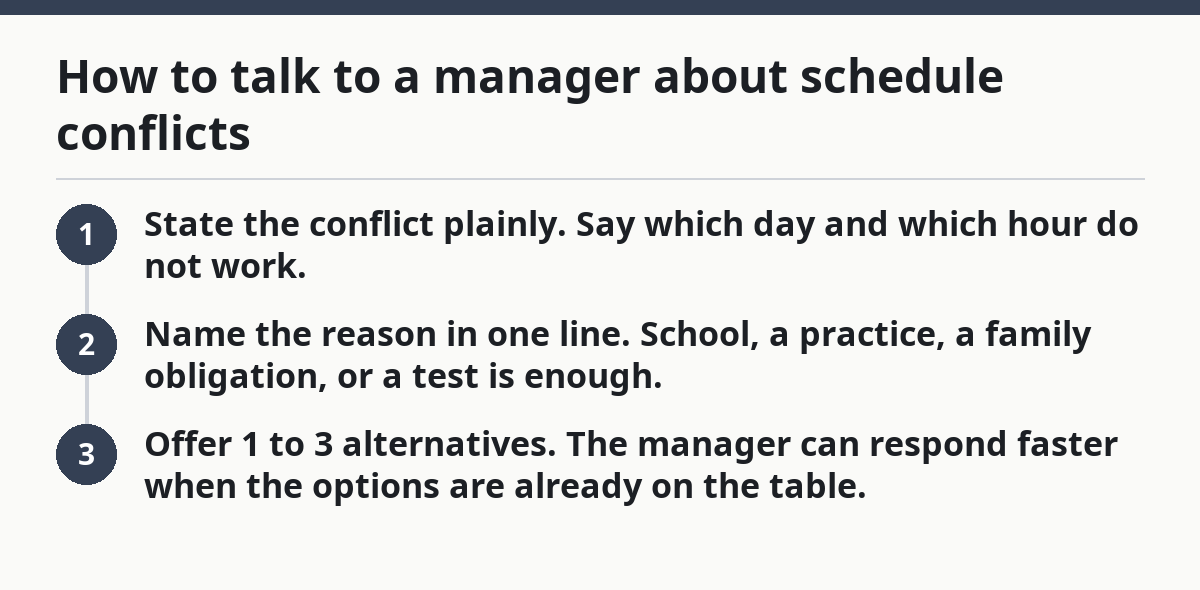
A good conflict message has 3 parts:
- State the conflict plainly. Say which day and which hour do not work.
- Name the reason in one line. School, a practice, a family obligation, or a test is enough.
- Offer 1 to 3 alternatives. The manager can respond faster when the options are already on the table.
This is where teens often go wrong: they wait too long, explain too much, or ask a parent to handle every conversation. A parent may need to step in sometimes, especially for younger teens, but the teen should still learn the words to use. A manager is more likely to respond well to a calm, specific note than to a rushed last-minute cancellation.
It also helps to make conflict rules before the week starts. For example, a teen can say, “I need 24 hours’ notice for schedule changes,” or “I can’t work on school nights after 8 p.m.” Teens should check workplace rules and local labor guidance before relying on those requests as firm rights. They are not demands for special treatment. They are boundaries that make the work schedule more workable.
The downside is that not every manager will be flexible. Some workplaces expect open availability and shift changes on short notice. If that is the case, the teen has to decide whether the job still fits the school calendar and rest time. A schedule that depends on constant last-minute fixes is usually a sign that the job and the teen’s life are out of sync.
Which calendar tools actually help with shift planning?
A calendar app with color labels, alerts, and a weekly view helps more than paper alone because it can update fast when the work schedule changes. Paper still works, but it is slower to revise when a shift moves from Friday to Saturday.
The most useful tool is the one the teen will actually check every day. That might be Apple Calendar, Google Calendar, or the built-in calendar on a phone. The brand matters less than the habits around it. The app needs 3 things: quick editing, reminders, and a way to see the whole week without scrolling forever.
Use these settings if the app allows them:
- Color code by category. Work in one color, school in another, sports or clubs in a third.
- Turn on alerts 1 day before and 1 hour before a shift. The first alert helps with planning; the second helps with leaving on time.
- Enter travel time. A 15-minute bus ride or a 25-minute drive should be part of the event, not an afterthought.
- Add notes to shift blocks. Write things like “wear black shoes” or “bring paycheck envelope” so the teen does not have to remember details later.
The best part of a calendar app is that it can absorb change without turning the whole week into a mess. If a Thursday shift moves to Friday, the teen edits one block instead of erasing an entire paper page. That matters most during busy school weeks, when a small change can ripple into homework and sleep.
The limitation is that an app can become another place to ignore if the teen does not open it. A reminder that never gets checked is useless. A paper planner that sits open on a desk can beat a fancy app if it is more visible. The right choice is the one that makes the week easy to read in under 10 seconds.
How much rest time should a teen protect?
A teen should protect at least one real rest block every day and avoid stacking too many late shifts back-to-back. When a work schedule changes every week, sleep gets squeezed first, and that is the mistake that causes the most trouble.
Rest time is not laziness. It is the space that keeps the schedule from breaking. A teen who works until 9:30 p.m. and has school at 7:30 a.m. the next morning needs a plan for homework, meals, and sleep, not just a plan for showing up. Without that, the week turns into a race from one obligation to the next.
A practical rule is to guard 2 kinds of rest:
- Daily rest: at least one uninterrupted block of 30 to 60 minutes with no shift, homework, or practice
- Night rest: enough time between the end of a shift and the start of school to sleep properly, not just crash on the couch
Some weeks will still feel tight. That is normal. The problem is when every week feels tight. A schedule that leaves no room for food, transit, or 15 minutes of quiet time is not just busy; it is brittle. One small change can make the whole thing collapse.
Teens should also be honest about which commitments are non-negotiable. If school starts at 8:00 a.m., then a late closing shift on a school night may not be a good fit. If a test is on Thursday, that study block needs to stay in the calendar even if a manager asks for extra hours. A teen does not have to be available for every gap the job creates.
This is the point where some readers need a blunt answer: this approach is not for a teen who can never predict availability at all. If the school calendar is packed, the commute is long, and the manager keeps changing shifts after the teen has already planned the week, the job may be too unstable for the season of life the teen is in.
The weekly routine that keeps the schedule under control
The safest routine is to check the schedule once a week, update the calendar immediately, and protect school and rest time before agreeing to extra shifts. That rhythm takes less than 20 minutes when it is done consistently, and it prevents the worst surprises.
A teen can think of the week in four moves: review, block, confirm, and adjust. Review the new work schedule. Block the school calendar first. Confirm any conflicts with the manager early. Adjust the open spaces for homework, chores, and downtime. That routine works because it respects the fact that a variable work schedule is always moving.
The best result is not a perfect week. It is a week where the teen knows what is coming next and can handle a change without panic. That is the real goal.
How do teens plan around an unpredictable work schedule?
Teens plan around an unpredictable work schedule by using a weekly routine, a calendar app, and fixed blocks for school and sleep. The trick is to treat the schedule as changing information, not as something to memorize. A 15-minute Sunday review can prevent most of the week’s problems.
What should a teen do when shifts keep changing?
A teen should update the calendar as soon as the changes appear and ask the manager for a consistent way to post shifts. If the schedule keeps moving after it has already been shared, the teen should use a backup plan with 2 or 3 open study blocks. That keeps the week from falling apart.
How can a teen tell a manager about schedule conflicts?
A teen can tell a manager about schedule conflicts by naming the exact day and time, giving one short reason, and offering alternatives. A message sent 24 to 48 hours ahead is easier for a manager to handle than a last-minute request. Clear language works better than long explanations.
What is the best way to track changing shifts?
The best way to track changing shifts is a calendar app with color coding, alerts, and a weekly view. It is faster to edit than paper and easier to check in the morning. If the app is not opened every day, though, a paper planner in a visible place may work better.
Drafted with AI; not yet reviewed by a person.