Last updated: November 19, 2026
Quick Answer: Teens can spot and avoid money scams online by pausing for 30 seconds, checking the sender and link, and never sharing a verification code or sending money to “open” a prize.
Key Takeaways
- Look for pressure, secrecy, and requests for money or codes.
- Scam messages often rush, flatter, or threaten, and ask for a click, code, or cash.
- Teens can verify a link by checking the full address, avoiding shortened URLs, and using the official app or typed web address.
- A verification code is a warning sign because it is meant for you, not a stranger who messaged first.
Online money scams usually start with a text message, email, or social media DM that looks ordinary until it asks for a code, a click, or a payment. Teens can avoid most of them by slowing down for 30 seconds, checking the sender and link, and never sharing a verification code or sending money to “open” a prize. The topic of this guide is How Teens Can Spot and Avoid Money Scams Online, and the advice stays focused on that.
The fastest way to spot online money scams
The fastest way to spot online money scams is to look for pressure, secrecy, and a request for money or a code. That combination shows up in fake giveaways, phishing messages, suspicious links, and social media fraud.
A scam message often tries to create a quick emotional reaction. It may say you won a prize, your account is at risk, or a friend needs help right now. The message then pushes you to tap a link, sign in, send money, or read back a 6-digit verification code. Real companies do not need you to rush through that kind of decision in 5 minutes.
Teens are especially targeted because scams fit the way teen life already works online: DMs, short video apps, group chats, delivery updates, and “urgent” messages about school, games, or side hustles. A scammer does not need a perfect fake. They only need one moment when you are distracted and likely to tap.
A useful rule is this: if the message wants money, codes, or a login within the next minute, treat it as suspicious until proven otherwise and, if needed, consult a trusted adult or another informed person before acting. That is true even if the sender looks familiar. Scammers can copy a profile photo, clone a username with one changed letter, or hijack a friend’s account and send the same message from a real-looking profile.
For plain-language guidance, the Federal Trade Commission’s scam advice and the National Cyber Security Centre’s phishing guidance both list warning signs that match common teen scams. The FTC reported that consumers lost more than $10 billion to fraud in 2023, which is one reason this topic matters.
What scam messages look like in a text message, email, or DM
Scam messages look rushed, flattering, or threatening, and they usually ask for one of three things: a click, a code, or cash. The channel changes, but the pattern stays the same.
A text message may claim a package is waiting, a phone bill is overdue, or a bank card is blocked. An email may say your streaming account has a problem or your school login needs to be “reconfirmed.” A social media DM may come from a friend, a creator, or a brand and promise free items if you “just cover shipping.” In all three cases, the goal is to move you off the app and into a trap.
Here are the most common teen-targeted patterns:
- Fake giveaways. “You’ve been selected” or “Claim your AirPods now” is classic bait. Real giveaways do not usually require a 1-minute rush, a fee, or a private code.
- Phishing messages. These imitate a company or service and try to steal a password, card number, or verification code.
- Suspicious links. A shortened link, a misspelled domain, or a random-looking web address is a warning sign.
- Social media fraud. A post or DM may push a “limited offer,” a fake seller, or a pretend fan account that wants a deposit before sending anything.
The red flags are not subtle once you know them. Bad spelling can be one clue, but clean grammar does not mean a message is safe. Scammers use polished templates now. A message can look professional and still be a trap.
What matters more is the ask. If the message wants you to send money through a payment app, share a verification code, or tap a link before thinking, it deserves a hard pause. Real businesses usually leave a paper trail, a help page, or an in-app notification you can reach without trusting a random DM.
How can teens check if a link is safe?
Teens can check a link by reading the full address, avoiding shortened URLs, and opening the site only through the official app or typed web address. That takes less than 1 minute and catches many scams before they start.
Use this 5-step check before you tap:
- Press and hold the link on a phone or hover on a laptop to preview the full address. The result to expect is the actual domain, not the friendly label shown in the message.
- Look for the main domain name and ignore extra words around it. A real brand name hidden in the middle of a longer address is often fake, especially if the ending looks odd or the spelling is off by one letter.
- Watch for shortened links such as those that hide the destination behind a tiny web address. If a text, email, or DM uses one, do not assume it is safe just because it looks neat.
- Open the official app or type the address yourself if the message claims to be from a store, school, bank, or social platform. The result to expect is the same page, but reached without trusting the message’s link.
- Stop if the page asks for a password, card number, or 6-digit code that you did not expect to enter. That is the moment to back out.
This check is not perfect. Some scam sites copy logos, colors, and page layout very well. That is why the link test has to be paired with the sender test. A safe-looking page can still be fake if you arrived there from a random DM or a message that created urgency.
Even so, the safest move is usually slower. It is easier to tap now and regret it later than to spend 30 seconds verifying the domain. That extra half-minute is the point. It breaks the scam’s timing.
Why verification codes are a big warning sign
A verification code is a big warning sign because it is meant for you, not for a stranger who messaged first. If someone asks you to read back a 6-digit code, stop immediately.
Scammers use verification codes in a few common ways. They may pretend they need the code to “confirm your identity,” “activate a prize,” or “prove you are real.” Sometimes they send a fake message first, then follow with a second message that says your code is coming. That second step is designed to make the request feel normal.
The real danger is that a verification code can open a login, a payment app, or a social account. Once a scammer gets that code, they may get into your account, change the password, and use the account to target your friends. A single code can turn one bad click into a chain of messages.
A few rules make this easier to handle:
- Never share a code you received by text, email, or app message with someone who contacted you first.
- Never type a code into a site reached from a DM unless you opened the service yourself from its official app or bookmarked address.
- Never read a code aloud to “support” or “security” if they called, texted, or DM’d you first.
- If a friend sends a code request from their account, verify with them through a different channel before answering.
This is also where teens get tricked by trust. A scammer may pretend to be a sibling, classmate, or gamer friend who “just needs the code for a minute.” That is exactly why the code request matters more than the name on the profile. A real friend can explain the request in another way. A scammer usually cannot.
Spot fake giveaways and social media fraud before they cost money
Fake giveaways and social media fraud usually cost you in one of two ways: money sent upfront or account access handed over through a fake link. The giveaway is the bait; the payout rarely exists.
A common setup is a post that promises a phone, gift card, concert ticket, or money transfer if you comment, follow, and “claim now.” The next step often happens in a DM, where the scammer asks for a shipping fee, a small “verification payment,” or a login to prove you are eligible. Once money leaves your hands, the prize disappears.
Another version uses a fake seller account. The profile may have copied product photos, a few convincing comments, and a price that sounds just low enough to be exciting. The scammer asks for payment through a method that offers little protection or pushes you to pay before seeing the item. If the account then blocks you, the money is usually gone.
The same pattern shows up with impersonation accounts. A scammer may copy a creator, brand, game store, or even a school club page. They post a giveaway, ask you to message them, and then use urgency to keep you from checking details. One clue is profile age: a brand-new account with a famous name is a red flag. Another is inconsistency: the bio, posts, and comments may not match the claimed identity.
What to do instead:
- Check the official profile for the same giveaway announcement.
- Compare the username letter by letter.
- Look for the same post on the company’s website or verified account.
- Treat “pay a small fee to claim a large prize” as a scam until proven otherwise; if you are unsure, consult a trusted adult or the official support page before paying.
The hard part is that social media scams are built to look casual. They arrive where teens already spend time and where fast reactions feel normal. That makes them harder to spot than a clumsy fake email, and it is why the safest habit is to verify outside the DM, not inside it.
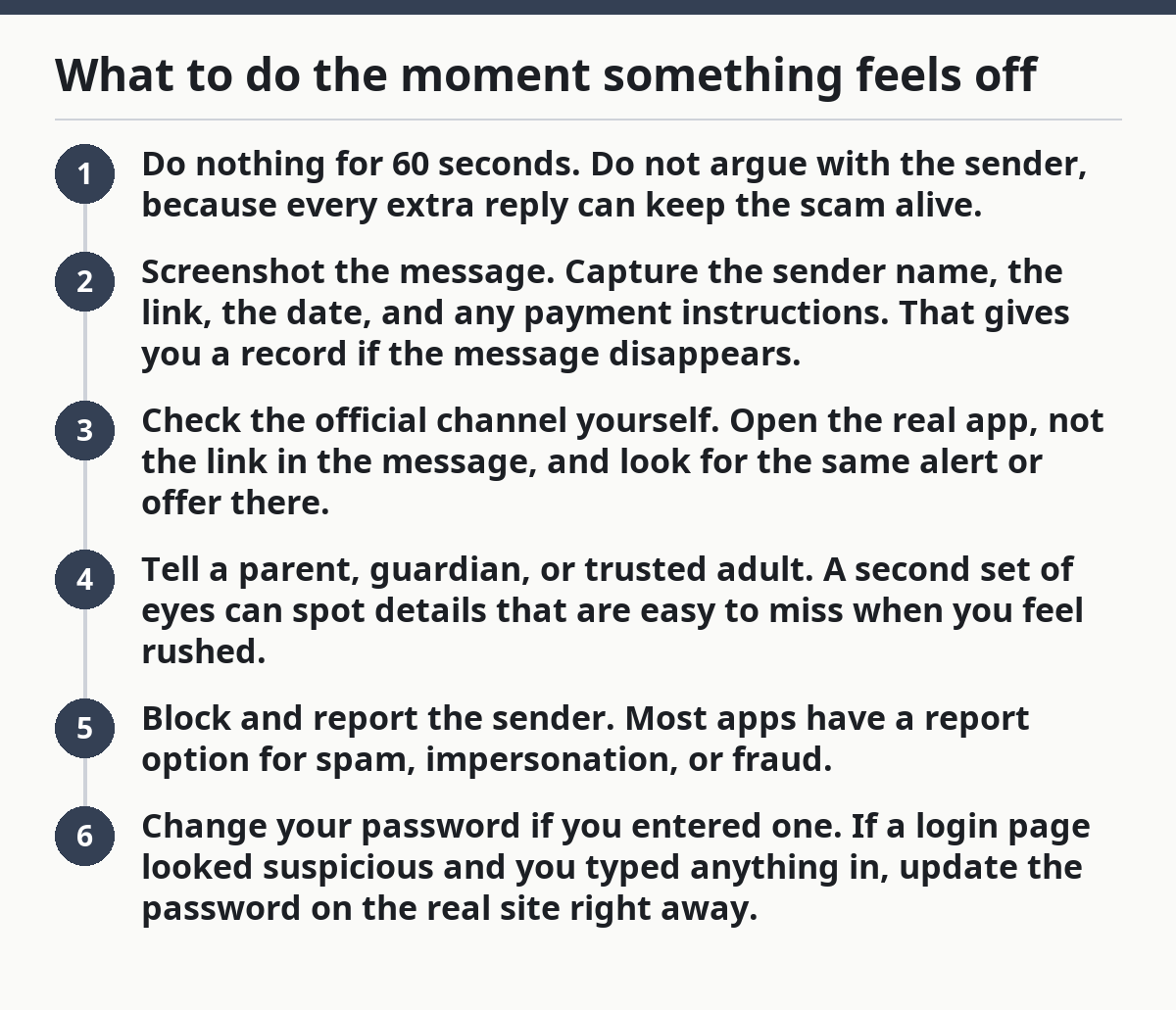
What to do the moment something feels off
The moment something feels off, stop replying, stop tapping, and do not send money or a code. That one pause prevents most scams from turning into a loss.
If you need a simple response plan, follow this order:
- Do nothing for 60 seconds. Do not argue with the sender, because every extra reply can keep the scam alive.
- Screenshot the message. Capture the sender name, the link, the date, and any payment instructions. That gives you a record if the message disappears.
- Check the official channel yourself. Open the real app, not the link in the message, and look for the same alert or offer there.
- Tell a parent, guardian, or trusted adult. A second set of eyes can spot details that are easy to miss when you feel rushed.
- Block and report the sender. Most apps have a report option for spam, impersonation, or fraud.
- Change your password if you entered one. If a login page looked suspicious and you typed anything in, update the password on the real site right away.
If you already sent money, the next move depends on where it went. A card payment, bank transfer, and peer-to-peer app each have different recovery rules, so contact the payment provider quickly and explain what happened. If a password or verification code was exposed, change the password and turn on stronger sign-in protection on the real service.
This is one of the few times speed matters after the scam, too. A 10-minute delay can make a recovery conversation harder. That does not mean every loss can be reversed. It means the earlier you act, the better the chance of limiting damage.
For a broader view of teen money safety, the hub on teen money safety and fraud protection should sit alongside this guide, not replace it. This page is about spotting online scams; the bigger safety topic belongs elsewhere.
The mistakes that make teens easiest to scam
The easiest mistakes to avoid are trusting the first message, chasing a deal, and treating a friend’s account as automatically safe. Each one gives scammers a direct path to money or access.
The first mistake is replying too fast. A scam message often counts on the first 10 seconds before you think. The cost is obvious: you click a bad link, send a code, or pay a fee. The fix is equally simple: wait, then verify the sender outside the message.
The second mistake is believing low-pressure language. A scam can sound friendly, casual, or funny. The cost is that you lower your guard because the message does not sound like a threat. The fix is to focus on the request, not the tone. A friendly scam is still a scam.
The third mistake is assuming a known face means a known source. If a friend’s account suddenly asks for money, a code, or a “quick favor,” that account may be hacked. The cost is sending cash to a stranger who is using someone else’s profile. The fix is to confirm through another channel, such as a call or in-person check.
The fourth mistake is using payment methods that are hard to reverse when buying from strangers online. The cost is a fast loss if the seller vanishes. The fix is to pause before paying and ask yourself whether the deal is worth the risk at all.
One honest limitation belongs here: no checklist catches every scam. Clever fakes can still slip through for a few minutes. That is why this guide is about reducing risk, not promising perfect protection. If a message is asking for money, a login, or a verification code, the safest answer is usually no.
What are common online scams for teens?
Common online scams for teens include fake giveaways, phishing messages, suspicious links, impersonation accounts, and social media DMs that ask for money or a verification code. The scam may look like a prize, an urgent alert, or a friend asking for help. The warning sign is the same: pressure to act before checking.
How do teens check if a link is safe?
Teens check a link by previewing the full web address, looking for misspellings or strange domains, and opening the official app or typed address instead of the message link. A shortened URL is not proof of danger, but it is a reason to verify twice before entering any password, card number, or code.
What should teens do after clicking a suspicious link?
Teens should close the page, avoid entering any more information, screenshot the message if possible, and tell a trusted adult right away. If a password was typed, change it on the real site and review the account for unusual activity. If money or a code was shared, contact the payment service or platform quickly.
Drafted with AI; not yet reviewed by a person.