Last updated: November 19, 2026
Quick Answer: In most cases, share one cropped transaction line—not a full bank app screenshot. If you are deciding on how teens can decide whether to share a screenshot of their bank app, start with the smallest image that proves the point and leave out anything that is not needed.
Do not share a bank app screenshot unless you know exactly what shows in it and why the other person needs it. A safe screenshot usually hides the account number, the full transaction history, and any personal details; if the message is for a parent, landlord, support team, or trusted adult, send only the minimum that proves the point. For more on reducing financial oversharing, see the FTC’s privacy guidance and the CFPB’s consumer resources on protecting financial information.
Key takeaways
- A bank app screenshot is fine only when the person asking truly needs proof, not just curiosity.
- The biggest risks are the account number, transaction details, balance, and anything tied to your nickname or full name.
- If you must share one, crop or blur first, then check privacy settings before sending.
- Public posting is usually the riskiest choice. A screenshot that feels harmless in a group chat can still expose money habits and identity clues.
- If the request feels rushed, vague, or pushy, pause for 5 minutes and ask what problem the screenshot is meant to solve.
What makes a bank app screenshot risky?
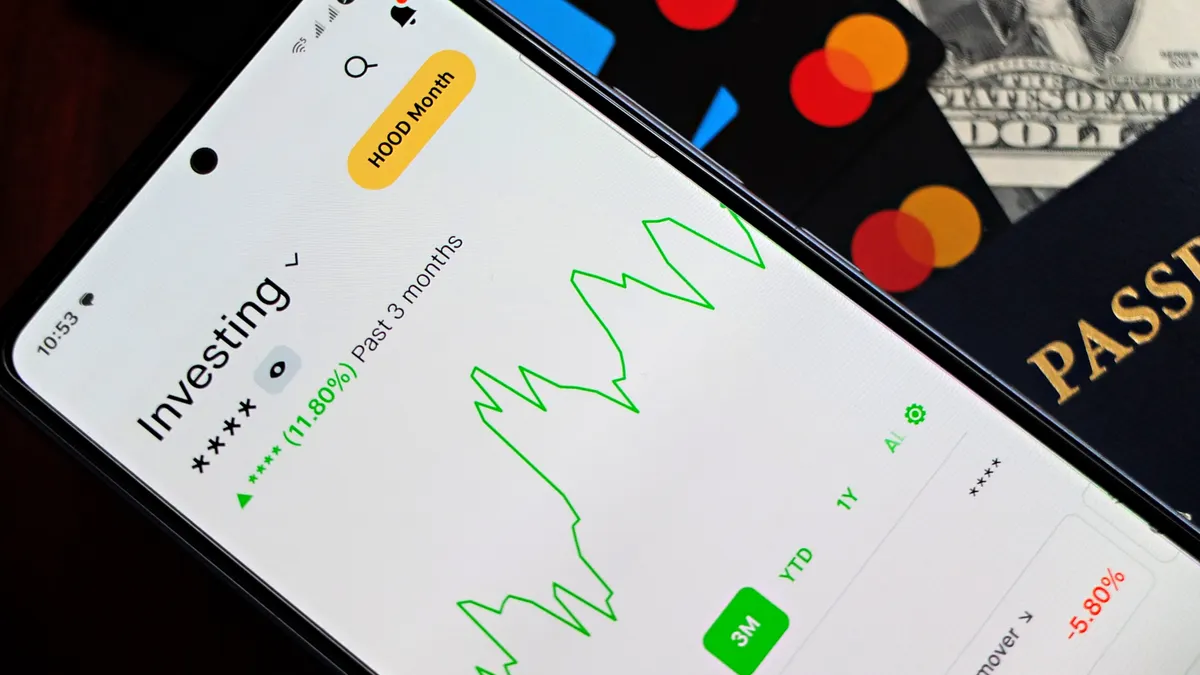
A bank app screenshot is risky because it can reveal more than the one thing you meant to show. Even a small image can include your account number, recent purchases, merchant names, balances, payment dates, and a nickname that links the account back to you.
That matters because screenshots are easy to copy, forward, and save. Once the image leaves your phone, you lose control of where it goes. A friend may mean well and still repost it in a group chat, or a parent may forward it to someone else without thinking. The FTC and NIST both recommend limiting what you share when private data could be reused or exposed.
The simplest way to judge risk is this: if the screenshot answers the question without exposing private money details, it may be fine; if it shows extra data that has nothing to do with the ask, it is too much. A screenshot of a single deposit for proof is one thing. A full home screen with a $1,200 balance, 12 transactions, and a visible account number is another.
This is where privacy settings matter too. Many bank apps let you hide parts of a card number or lock the app with a passcode, but settings alone do not make a screenshot safe. The image itself still needs a careful look before it leaves your phone. If you want a broader checklist, the FCC’s consumer privacy resources are useful too.
For a quick outside check on digital privacy habits, the Federal Trade Commission’s consumer advice pages and the Consumer Financial Protection Bureau’s guidance on protecting financial information are worth reading. They are not about screenshots only, but they cover the same basic rule: share less, not more.
How do I decide if a screenshot is safe to send?
A screenshot is safe to send only if the person needs that exact proof and the image leaves out anything that could help a stranger or a scammer. Use this 5-step check before you hit send.
-
Name the reason in one sentence. If the reason is “prove I paid back $20,” then a cropped image of that transaction may be enough. If the reason is vague, like “just show me your app,” stop there.
-
Check the top and bottom of the screen. Make sure the account number, full balance, nickname, and any linked card details are not visible. Those are the easiest clues to misuse.
-
Look at the transaction list. A screenshot that shows the last 10 purchases can reveal where you eat, where you travel, and what time you bought something. If those details do not matter, crop them out.
-
Decide who will see it after the first person. A screenshot sent to one friend can land in a 20-person group chat in a few taps. If you would not want it forwarded, do not send it.
-
Ask whether another format would work. A typed message, a masked number, or a short video call may prove the point with less exposure. A screenshot is not always the easiest proof, and it is often not the cleanest one either.
Here is the easiest test: if you had to explain the same issue to a teacher, parent, or support agent 30 minutes later, would you still want that image in circulation? If the answer is no, send less.
What should I hide before I share?
You should hide the account number, personal balance, full transaction history, and any name or nickname that can tie the screenshot back to you. If the image includes a debit card graphic, hide the card number and expiry details too.
A good rule is to remove anything that is not essential to the reason for sharing. If you only need to show that a payment cleared, the date and amount may be enough. If you are proving a refund, the merchant name and the refund line may be enough. You do not need to hand over every transaction from the last 30 days to make a single point.
Use the tools on your phone before you send anything. Crop the image so only the needed strip remains. Blur or cover sensitive parts with an editor, not just with your thumb in the preview screen. A preview can still be saved by the app or reopened later with the hidden details exposed. For step-by-step device help, a privacy and safety guide can be a useful backup.
The same rule applies to your bank app nickname. A nickname like “Mia’s College Fund” or “Teen Checking” can sound harmless, but it can still help someone connect the screenshot to your identity or family situation. Privacy settings can reduce what the app shows by default, but they do not erase what a screenshot already captured.
If you want a practical comparison, use this one:
| Sharing option | What it shows | Main risk | Best use |
|---|---|---|---|
| Full bank app screenshot | Balance, account number, transaction history, nickname | Highest privacy risk | Rarely needed |
| Cropped screenshot | One transaction or one line of proof | Still may show extra clues | Payment proof, quick support |
| Blurred screenshot | Needed detail only | Blur can miss something | When the exact image matters |
| Typed summary | Amount, date, merchant | Low visual risk | Simple explanations |
| Video call | What you show live | Can still be screenshotted | Short checks with a trusted person |
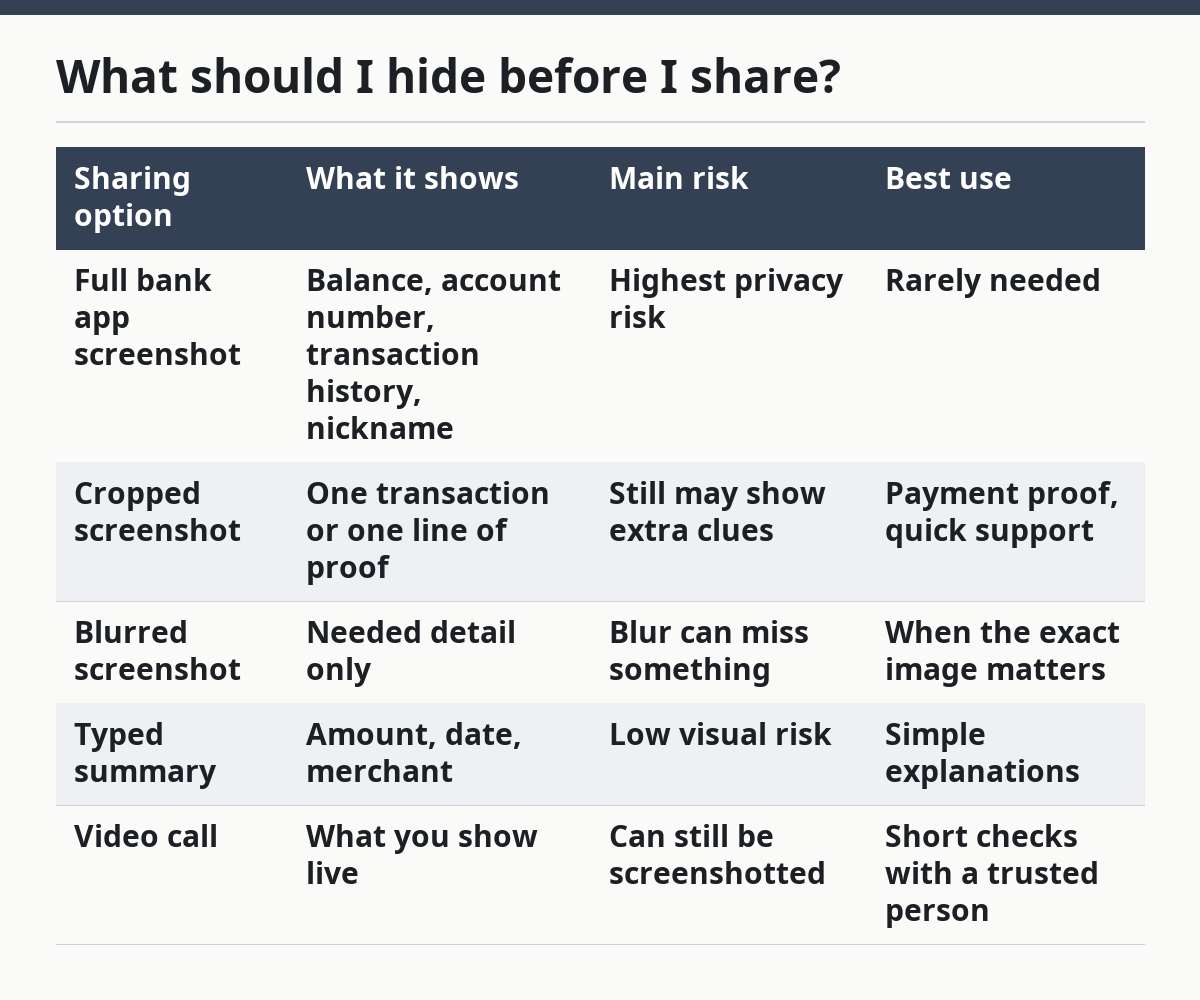
The best choice is usually the one that gives the other person enough proof with the fewest details attached.
When is it okay to post a bank app screenshot?
It is okay to post a bank app screenshot only when the image is fully cleaned, the audience is limited, and the post is not public. Public posting is usually the worst option for almost every teen because a screen shot can spread farther than intended in minutes, not days.
Even a screenshot that looks harmless can reveal patterns. A row of café purchases, a ride share charge, or a payment to a school club can tell people where you go and when. A balance can also invite unwanted questions, teasing, or pressure to lend money.
A private message to one trusted person is different from a story, a feed post, or a group chat with people you barely know. If the screenshot is going to more than 3 people, the risk jumps fast because you lose track of who saves it. That is true even if the chat feels private. The FTC’s advice on social sharing is a useful reminder here.
There is one narrow case where a screenshot can make sense: a trusted adult, support team, or help desk asks for proof and you can remove sensitive details first. Even then, send the smallest possible version. A 1-line cropped image beats a full screen every time.
If you are tempted to post a screenshot because you want advice or sympathy, try typing the problem instead. You can say what happened without showing your account number or transaction history. That gives people context without handing over a money map of your life.
What should I do when someone asks for a screenshot?
You should pause, ask why they need it, and offer a safer option before you send anything. A pushy request is a warning sign, even if the person sounds casual.
Start with a short question: “What part do you need to see?” That sentence often cuts the request down to one useful detail. If they cannot explain why they need the image, they probably do not need the image.
Then choose one of three replies:
- Send a cropped image if the proof is simple and the audience is trusted.
- Send a typed summary if the date, amount, or merchant is all they need.
- Refuse politely if the request is vague, public, or more invasive than it should be.
This is especially useful when the ask comes by text and feels rushed. A scammer can pretend to be a friend, a parent, or a support person and ask for a screenshot to “verify” something. If the request includes urgency, secrecy, or a demand to skip questions, stop and verify by another channel you already trust. The FTC’s scam guidance explains why urgent messages are a common red flag.
You do not need to argue. A simple “I can send the amount, but not the full screenshot” is enough. That keeps the conversation short and draws a line around your privacy.
What mistakes leak the most information?
The biggest mistake is sending the first screenshot you take without checking what else is on the screen. That can expose an account number, recent purchases, a balance, and a nickname in one image.
A second common mistake is trusting a private chat too much. People often treat a 1-on-1 message as if it were a locked drawer, but screenshots can be forwarded easily, so it is wise to check with a trusted adult or professional if you are unsure. A message sent to one person can still become a group chat photo in under a minute.
A third mistake is cropping too little. If the crop still shows the app header, time stamp, or linked account name, the image can still give away more than you meant. Covering just the middle of the screen is not enough if the top bar still reveals your identity.
A fourth mistake is using the screenshot to prove too much at once. The more lines and numbers you show, the more a reader can learn about your spending habits. If you only need to prove one payment, one payment line is enough.
The cost of these mistakes is not just embarrassment. A leaked screenshot can help someone guess your habits, pressure you for money, or make future requests feel normal. The fix is always the same: send the smallest proof that answers the question, and nothing more.
How can privacy settings help without making me careless?
Privacy settings help by reducing what the bank app shows by default, but they do not replace judgment. They are a backup, not a green light.
If your app lets you hide parts of an account number, turn on passcode lock, or reduce visible account details, use those tools. They make it harder for someone to grab a useful screenshot by accident. Still, a screenshot can capture whatever is on the screen in that moment, so the final check is yours. The National Institute of Standards and Technology also emphasizes layered protection, which fits this same idea.
A practical habit is to check the screen for 10 seconds before you capture it. That short pause catches more mistakes than rushing to screenshot and send. It also gives you time to switch screens if the balance, nickname, or transaction list is showing.
If you share money info often with the same person, make a rule in advance. For example, decide that payment proof means one cropped transaction line, not a full app view. A rule like that saves time and cuts down on accidental oversharing.
The honest trade-off is simple: the more convenient the screenshot, the more likely it is to leak extra details. The more careful the edit, the more time it takes. For teen money safety, that extra minute is usually worth it.
Is it safe to send a screenshot of my bank app?
It is safe only when the image is cropped, the audience is trusted, and the details shown are the minimum needed. If the screenshot includes your account number, full transaction history, or a balance you would not want public, it is not a safe send.
The better question is not “Can I send it?” but “Can I send less?” A typed amount, a cropped transaction line, or a quick call often works just as well. Public posting is almost never worth the risk.
What details should I hide before sharing a screenshot?
Hide the account number first, then remove the full transaction list, balance, nickname, and anything linked to your identity. If a card image appears, cover the card number and expiry details too.
If you still need to prove one payment, keep only the exact line that matters. A screenshot should answer one question, not expose the whole account.
When should I never share a bank screenshot?
Never share a bank screenshot when the request is public, pushy, vague, or asks for more than the reason requires. That includes group chats, social posts, and messages from people who will not explain why they need it.
If the request feels urgent or secretive, stop and verify it another way. A bank app screenshot can be copied and forwarded in seconds, so a bad send is hard to take back.
Drafted with AI; not yet reviewed by a person.