Last updated: November 19, 2026
Quick Answer: teens can report a fake money app listing in under 5 minutes by using the app store’s report tool and the developer page, then stopping before any download. This guide is about How Teens Can Report a Fake Money App Listing Before Downloading It, and the safest move is to flag the listing and walk away, not to “check it out” first.
Key takeaways
- A fake app listing can be reported right from the app store, before any install happens.
- Warning signs often include a strange developer name, thin review history, and screenshots that do not match the app’s promise.
- The report should focus on the listing itself: title, developer profile, reviews, and download page details.
- If the listing feels wrong, skipping the download is not overreacting; it is the point of the report.
- Keep the report short and specific so the store team can review it faster.
What counts as a fake money app listing?
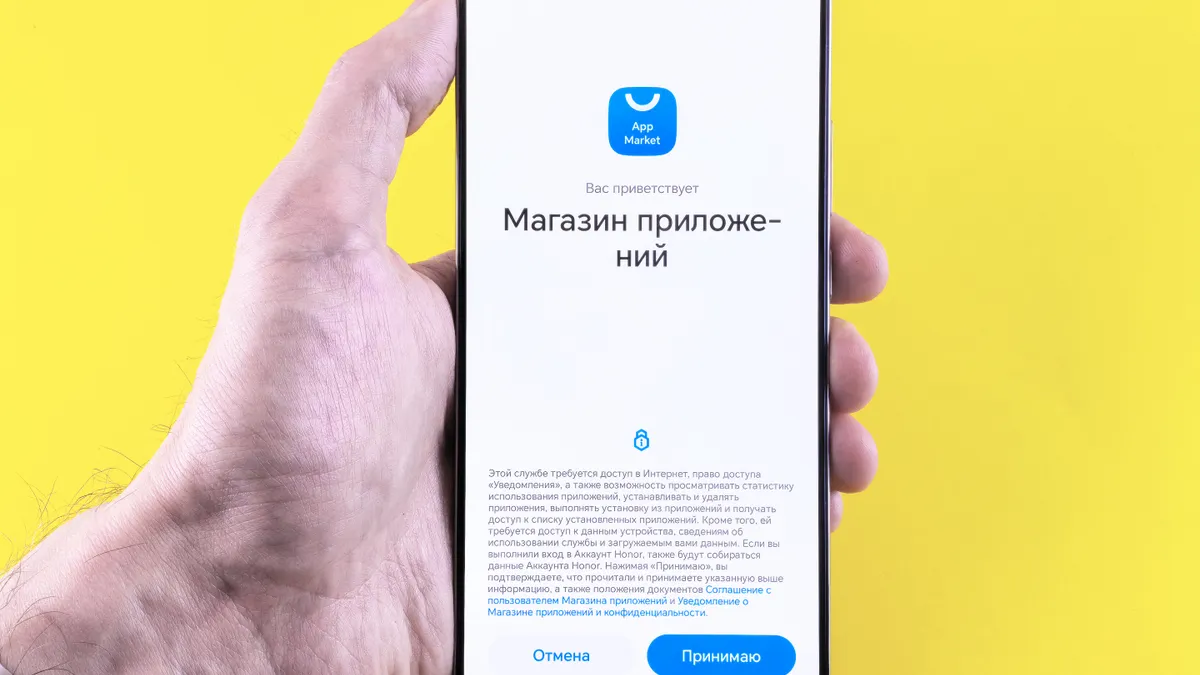
A fake money app listing is a page in an app store that pretends to offer a real money tool but looks misleading, copied, or fake. The problem may be the app name, the developer profile, the review history, or the download page itself.
This is not the same as a real app with bad design. A clumsy app can still be legitimate. A fake listing usually tries to borrow trust from a known bank, cash app, budgeting app, or payment tool, or it may use vague promises like “easy cash,” “instant rewards,” or “quick money” without a clear company behind it. If the listing cannot clearly show who made it and why it exists, that is a red flag.
The most useful question is simple: does the listing look like a real product page, or does it look like it was built to rush people into tapping download? In the app store, the answer often shows up in 3 places: the developer name, the review history, and the download page. Those are the parts a teen can check in less than 5 minutes.
A fake listing is worth reporting even if it is still live and even if no one has downloaded it yet. That matters because the harm starts with the page, not only with the install.
For a broader safety checklist, see the teen online money safety guide and the guide to spotting scam app listings.
How do I report a fake app listing?
You report a fake app listing by using the app store’s own report or flag option, then sending the store the exact signs that make it suspicious. The report should point to the listing itself, not just say “this app seems fake.”
Here is the basic process:
- Open the app store listing and keep it on the screen.
- Check the developer name, review history, screenshots, and download page text.
- Tap the store’s report, flag, or abuse option if it is shown on the page or in the menu.
- Choose the reason that fits best, such as misleading content, impersonation, or fraud.
- Add a short note with the app name, developer name, and the exact detail that looks wrong.
- Submit the report and keep a screenshot in case the listing changes later.
A plain report usually works better than a dramatic one. “This looks fake” is weak. “The app says it is a cash app, but the developer name is different from the brand, the reviews are recent and repetitive, and the screenshots do not match the description” gives the reviewer something usable.
If the app store does not show a clear report button, use the store’s help or abuse form from a browser. Apple’s App Store and Google Play both have reporting paths, and the FTC also accepts fraud reports through ReportFraud.ftc.gov. The FTC page is not a store takedown button, but it is a real place to send the report when a listing looks like a scam. Apple’s reporting help is available through Apple Support, and Google Play’s policy pages explain reporting and enforcement through Google Play Help.
The detail that matters most is the listing page itself. A report about the download page, not a vague complaint about “a bad app,” is the kind that can actually be reviewed.
What clues show an app listing is fake?
A fake app listing usually gives itself away through 4 clues: the developer name, the review history, the screenshots, and the download page wording. One clue alone may not prove anything, but 2 or more together are enough reason to report it.
Here is a quick comparison:
| What to check | Normal sign | Fake-listing sign |
|---|---|---|
| Developer profile | Clear company name, matching brand | Random name, copied brand name, or no clear identity |
| Review history | Mixed reviews over time | Repeated short praise, weird wording, or a sudden burst of reviews |
| Download page | Clear description of what the app does | Big promises, vague money claims, or pressure to tap fast |
| Screenshots | Match the app’s purpose and layout | Generic images, copied graphics, or screenshots that do not fit the description |
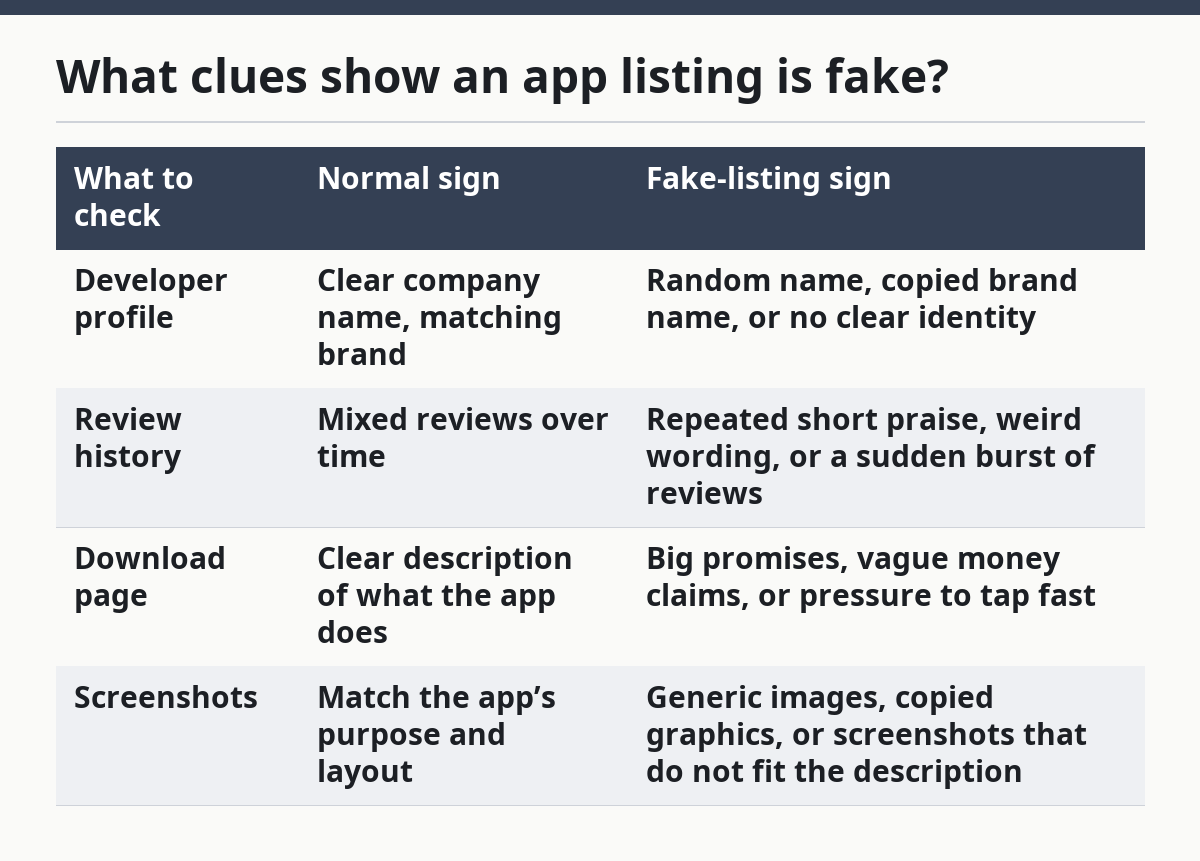
A developer profile matters because it tells you who is behind the app. If the app claims to be a well-known money tool but the developer name does not match the brand, stop and report the listing. A real financial app usually has a traceable developer identity, not a throwaway label.
Review history can also expose a fake app. A long string of 5-star reviews that all sound alike, use the same short phrases, or mention nothing specific about the app is suspicious. A real app often has a messy mix of opinions. A fake listing often looks polished in a way that feels unnatural.
The download page deserves a close look too. If the page promises fast money, easy approval, or instant rewards without explaining how the app works, that is a warning sign. So are spelling errors, broken images, and screenshots that appear copied from a different app. Those details do not prove fraud by themselves, but they are enough to justify a report.
This is also where teens make the biggest mistake: they only check the app icon. The icon is easy to copy. The developer profile and review history are harder to fake well, and they are usually where the truth shows first.
What should I write in the report?
You should write a short report that names the app, names the developer, and explains the exact mismatch in 1 or 2 sentences. The report is strongest when it stays calm, direct, and tied to what is visible on the listing.
Use this formula:
- App name
- Developer name
- What looks wrong
- Where you saw it
- Why it matters
A good example would be: “The app title suggests a money transfer tool, but the developer profile does not match the brand, the review history looks repetitive, and the screenshots do not match the download page description. I think this is a fake app listing.”
That is enough. You do not need a long story, a guess about the scammer’s motive, or a speech about how dangerous it is. Store reviewers need facts they can verify against the page.
If the app mimics a real company, say that plainly. If the developer name is odd or unrelated, mention it. If the listing claims to be a money app but the screenshots show something else, include that mismatch. Those 3 details are often more useful than a dozen emotional comments.
The report should stay focused on the fake listing, not on your personal device or your bank account. This page is about stopping the listing before installation, so the report should match that stage. A clear report from the download page is better than a panic-filled message after the app is already installed.
Keep a screenshot before you submit if the page might change. A changed title, deleted review, or swapped screenshot can matter later, and a screenshot gives you proof of what you saw.
Where do I report it in the app store?
You report it in the app store’s own menu, help page, or abuse form, and the exact path depends on which store you are using. The key is to use the store’s built-in reporting tools first, because that sends the complaint to the place that hosts the listing.
In Apple’s App Store and Google Play, the report option may appear near the listing details, the share or more menu, or the store’s support pages. If you do not see a direct button on the phone, check the help center from a browser and search for reporting apps, fraud, or misleading listings. That takes a few more taps, but it still keeps the report inside the store system.
The trade-off is speed versus detail. The report button on the listing page is the fastest option, while the help form gives you more room to explain the developer profile, review history, and download page problem in one place. If the listing is clearly fake, use the direct button first and the help form second if needed.
For extra reporting, the FTC’s ReportFraud.ftc.gov is a good second step in the U.S. It is not the same thing as reporting inside the app store, but it gives another official place to record the scam pattern. Teens should still report inside the store, because the store is the one hosting the download page.
A report does not guarantee instant removal. Some listings stay up while they are reviewed. That is not a reason to ignore the report; it is a reason to use both the store report and a screenshot so the problem is documented.
What should I do before I download it?
You should pause and verify the listing before you tap download, because once the app is on the phone, the risk moves from the page to the device. The check often takes only a few minutes, and it is the safest place to stop a fake app.
Do these 4 checks in order:
- Read the developer name.
- Scan the review history for repeated or odd praise.
- Compare the screenshots with the description.
- Look for money claims that sound too easy or too fast.
If any one of those checks feels off, do not download it. Report the listing instead. That is the right move for a fake app listing, and it is especially right for money apps, where a bad install can lead to account trouble, fake login pages, or unwanted permissions later.
A common mistake is waiting until “after I install it, I’ll see.” That costs time and can blur the evidence, because the listing can change or disappear. The better move is to treat the download page like the proof. If the page is suspicious, the report should happen before the install.
This page fits inside the larger teen online money safety and scam prevention guide, which covers the rest of the scam picture without repeating this how-to. If the app store listing already looks wrong, this is the moment to act, not the moment to get curious.
How do I report a fake app listing?
You report it through the app store’s flag, report, or abuse option, then add the app name, developer name, and the exact clue that made it look fake. If the store has no obvious button, use its help center or report form. The FTC’s ReportFraud.ftc.gov is another place to file the scam report.
What clues show an app listing is fake?
The biggest clues are a developer name that does not match the brand, a review history that looks repetitive or unnatural, and screenshots that do not fit the description. A download page that makes big money promises or hides who made the app is also a warning sign. Two or more of those signs together are enough to report it.
Should I avoid downloading if the listing looks suspicious?
Yes, you should skip the download if the listing looks suspicious. A fake app listing is already the warning, and downloading it only adds risk without giving you any useful proof. Report the page first, then leave it alone.
Drafted with AI; not yet reviewed by a person.