Last updated: November 20, 2026
Quick Answer: In most cases, a teen bank app wrong balance comes down to one of 4 things: a pending transaction, a posted delay, a cash deposit delay, or a display refresh issue. This article explains How Teens Can Fix a Teen Bank App Wrong Balance by checking the app, the posted record, and the bank statement in that order. Before you assume money vanished, look at pending transactions, posted transactions, and recent deposits. The balance can be correct in one place and off on another screen. The steps below show what to check first, what to ignore, and when to contact support.
Key Takeaways
- A wrong balance is often a display issue, not a real account loss.
- Pending charges can lower the available balance before they post.
- Cash deposits and transfers can lag behind the app by hours or longer.
- The bank statement can be the clearest paper trail when the app looks off.
- If bank account activity does not match the app after a refresh, support needs the exact transaction details.
Start with the balance type the app is showing
A teen bank app wrong balance problem usually starts with the app showing the available balance instead of the posted balance. That difference matters because the app may count card holds, card purchases, and recent transfers before they fully settle.
You open the app, see less money than expected, and think something broke. Fair instinct. Yet the first move is simply to check which number you are looking at and what changed in the last 24 hours.
When the app shows more than one balance, compare these:
- Available balance: what can usually be spent now
- Posted balance: what has fully cleared the account
- Current balance: a label some apps use for the running total, which may still miss pending items
Match the number in the app to real bank account activity. A debit card purchase from this morning may already reduce available funds even if it does not appear as a posted transaction yet. That timing can feel sneaky.
Check pending transactions before anything else
Pending transactions are the most common reason a teen bank app shows less money than the bank statement later will show. They can sit there for a few minutes or several days, depending on the merchant and the type of payment.
You bought lunch, tapped a card, and now the app looks short by the exact amount of the meal. That is often a pending hold, not a mistake.
Look for:
- Card purchases marked pending
- Gas station holds
- Hotel or ride-share preauthorizations
- Online orders that have not posted yet
- Cash withdrawals waiting to clear
A pending transaction can change the available balance right away. It may not change the posted balance until the merchant completes the charge. If the app has a filter, choose the full activity view, not just posted items.
What to do when you see a pending charge
- Open the transaction list and find the item by amount and merchant name.
- Check whether it is labeled pending or processed.
- Compare the amount with the available balance, not just the headline balance.
- Wait until the merchant posts it if the amount matches and the date is recent.
- If the charge is still pending after several days and you do not recognize it, save the details for support.
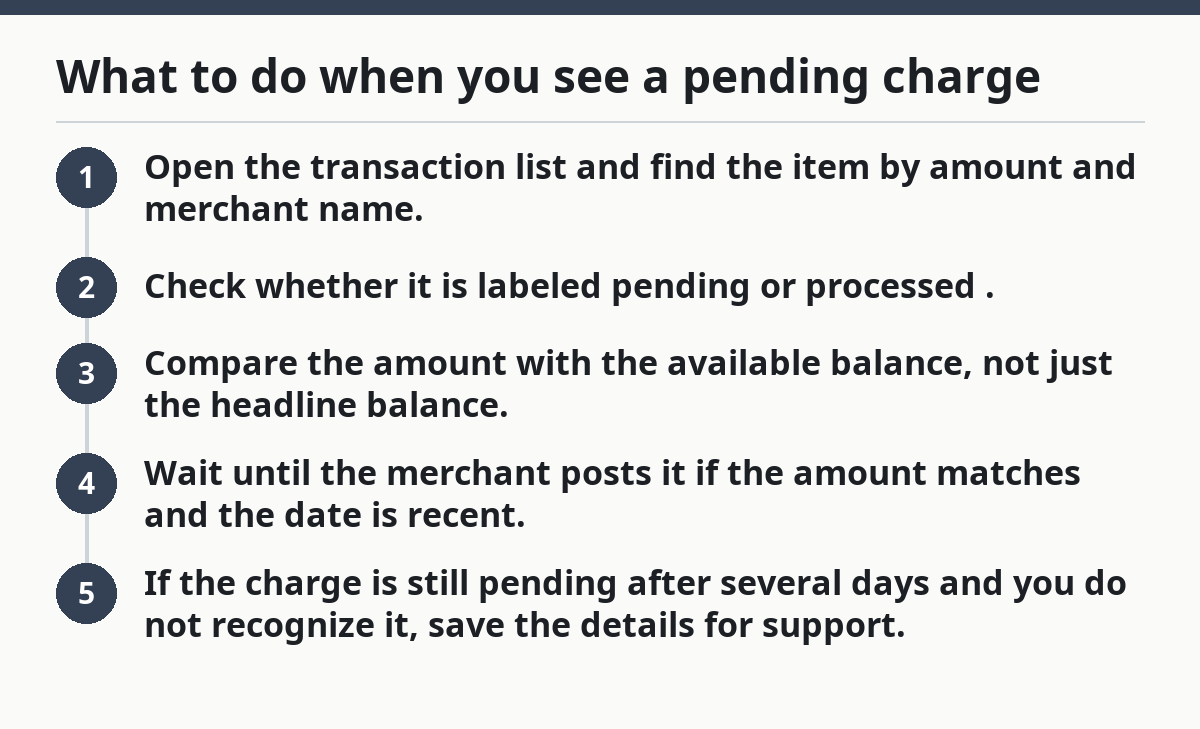
The difference between pending and posted matters because the app may be accurate while the screen looks wrong. Same money, wrong snapshot.
Why the posted transaction list can look different from the app
A posted transaction is one the bank has fully recorded, and that list can lag behind a card swipe, cash deposit, or transfer by hours or 1-2 business days. That lag is normal for many banks and debit cards.
Because a posted transaction can arrive later, the app and the transaction history may not match right away. That is common after a card swipe or transfer.
The app says one thing, the transaction history says another, and both seem to clash with the amount in your head. The real job here is to line up the app with the bank’s posted record, not with memory.
Check these details in the activity feed:
- Date and time of the purchase
- Merchant name
- Transaction type
- Whether the item is pending or posted
- Whether a refund or reversal is also listed
If a posted transaction is missing but the merchant says the card went through, the app may still be catching up. After a refresh, if the posted list already includes the charge and the balance still looks wrong, that points to a display problem or an item the app has not loaded yet.
The bank statement matters here because it is the cleanest record. Many statements show the final, settled transactions better than the live app screen. If you need to prove the app is off, the statement is the document to compare against.
Refresh the app and force it to pull fresh account data
Refreshing account data can fix a wrong balance when the app has simply failed to update. Many banking apps pull fresh data only when you reopen them, refresh the screen, or switch tabs.
Because the app can lag, a stale screen may show a number that has already changed elsewhere. One refresh is often enough to reveal the new data.
You have the app open for several minutes, you make a deposit, and the balance never changes. The fix is usually boring and fast.
Try this order:
- Pull down to refresh if the app supports it.
- Close the app completely and reopen it.
- Check the same balance screen again after 30-60 seconds.
- Switch from the summary page to the account activity page.
- If the app has a web login, compare the balance there too.
A browser or desktop view can show slightly different timing than the phone app. If both views match each other and the balance still looks wrong, the problem is less likely to be the screen and more likely to be the account data itself.
Do not keep tapping refresh every few seconds for 10 minutes straight. That rarely helps and can make the screen harder to read. One clean refresh, then a full reopen, usually tells you enough.
Could a cash deposit still be missing?
Yes, a cash deposit can still be missing from the balance even when the money is already handed over. Cash deposits may take a few minutes, a few hours, or until the next business day to appear in the app, depending on where and how the deposit was made.
Because cash deposits can lag, the app may look wrong even when the deposit was accepted. That delay is common enough that it should be checked before anything else is blamed.
You put cash in the account, check the phone right away, and the number does not move. Same story, different day.
Use this checklist:
- Save the deposit receipt
- Confirm the amount on the receipt matches the cash you handed over
- Check the time and date of the deposit
- Look for a pending or delayed deposit entry
- Recheck after the bank’s normal posting window
Cash deposits are different from card purchases because they are not always immediate. If you deposited cash at an ATM, store counter, or branch and the balance still does not update after the expected window, the receipt gives support something concrete to trace.
What to compare with the bank statement
The bank statement tells you whether the app is wrong or only behind. It usually shows the final posted record for a statement period, while the app shows live activity that can still change.
Because the statement is settled, it is often easier to compare than the live screen. The app may still be updating while the statement already reflects the final numbers.
You have three views of the same money—the app, the transaction list, and the statement—and only one of them is fully settled. That is why the statement matters.
Compare these items line by line:
- Opening balance
- Deposits
- Card purchases
- Cash withdrawals
- Fees
- Refunds
- Ending balance
If the app and statement match, the app is probably fine and the confusion came from a pending item. If the statement and app do not match after all pending items clear, that is a real mismatch worth sending to support.
Keep a screenshot of the app, the transaction list, and the statement page with the date visible. A clean record saves time when support asks for proof.
For a broader walkthrough of teen account access and controls, the hub article on Teen Banking Access, Setup, and Account Controls — The Complete Guide covers the bigger picture.
When to contact support about a wrong balance
Support is the right next step when the wrong balance still does not make sense after you check pending items, posted items, cash deposits, and the bank statement. If the account activity does not line up after a refresh and a full reopen, the app may need a back-end review.
Because the mismatch is now documented, support can work from the numbers instead of guesswork. That is faster for everyone.
You have checked the activity feed twice, waited for the usual posting window, and the numbers still disagree. At that point, support needs facts, not guesses.
Have this ready:
- Last 4 digits of the account if needed
- Exact transaction amounts
- Dates and times
- Merchant names
- Deposit receipt, if there was cash
- Screenshots of the wrong balance and the activity list
Do not lead with “the app is broken.” Lead with the mismatch. Say what the app shows, what the posted activity shows, and what the statement shows. That gives support a clear path and shortens the back-and-forth.
If a charge is pending but looks suspicious, support can help explain the status. If a cash deposit still has not posted after the normal delay, support can trace the receipt. If the balance only looked wrong because of a hold, support may simply confirm that the app is behaving normally.
Why does my teen bank app show less money than I have?
A teen bank app often shows less money because a pending transaction has already lowered the available balance. The app may also be showing a balance that includes card holds, fees, or a transfer that has not fully posted yet. Check the transaction list first, then compare it with the bank statement.
How long does it take for a teen bank app balance to update?
A teen bank app balance can update right away, but some items take hours or 1-2 business days to post. Cash deposits and card purchases are the most common lagging items. If the app still looks wrong after a refresh and the normal posting window, compare it with the posted activity list.
What should I check if my balance looks incorrect?
Check the pending transactions, the posted transaction list, the available balance, and the bank statement. Those four items usually explain the gap. If the numbers still do not match after a refresh and the right posting time has passed, contact support with the exact transaction details and screenshots.
Drafted with AI; not yet reviewed by a person.