Last updated: November 19, 2026
Quick Answer: A teen can usually do a basic safety check in 5 minutes by reviewing the app store listing, privacy policy, permissions, recovery options, and two-factor authentication before entering any real information. A teen signing up for a money app needs to know if it can protect personal data, show clear rules, and let the account be recovered without drama. In How Teens Can Tell If a Money App Is Safe Before Signing Up, the steps below show what to look for and what should make you walk away.
Key takeaways
- A real money app should tell you who runs it, what data it collects, and how you can recover the account if something goes wrong.
- The app store page, privacy policy, and permission list often reveal more than the marketing page does.
- If an app asks for access that has nothing to do with payments, that is a warning sign.
- Two-factor authentication is a good sign, but it does not fix a weak privacy policy or hidden data sharing.
- A teen should stop if the app cannot explain data sharing, recovery, or support in plain language.
Start with the app store page, not the download button
Picture this: you’re staring at a shiny app listing, and the screenshots promise fast transfers, card controls, and rewards. The quickest practical check is the app store listing, because it shows the publisher name, update history, rating pattern, and permission prompts before you sign up.
The app store is not a perfect safety stamp, but it gives you the first filter. Look for a publisher name that matches the company’s official name, a support link, and a privacy label that does not hide behind vague language.
Here’s the catch:
- Open the listing in the official app store for your phone, not a search result or ad.
- Check the developer name against the company’s website spelling exactly.
- Read the recent reviews, not just the star score.
- Look at the update date. A money app that has not been updated in a long time can be a bad sign.
- Scan the screenshots for claims that sound bigger than a payment app should make.
If the listing has broken English, copied screenshots, or a publisher name that looks close to a known brand but not exact, skip it. That is not nitpicking. It is the sort of mismatch that catches fake apps and copycats.
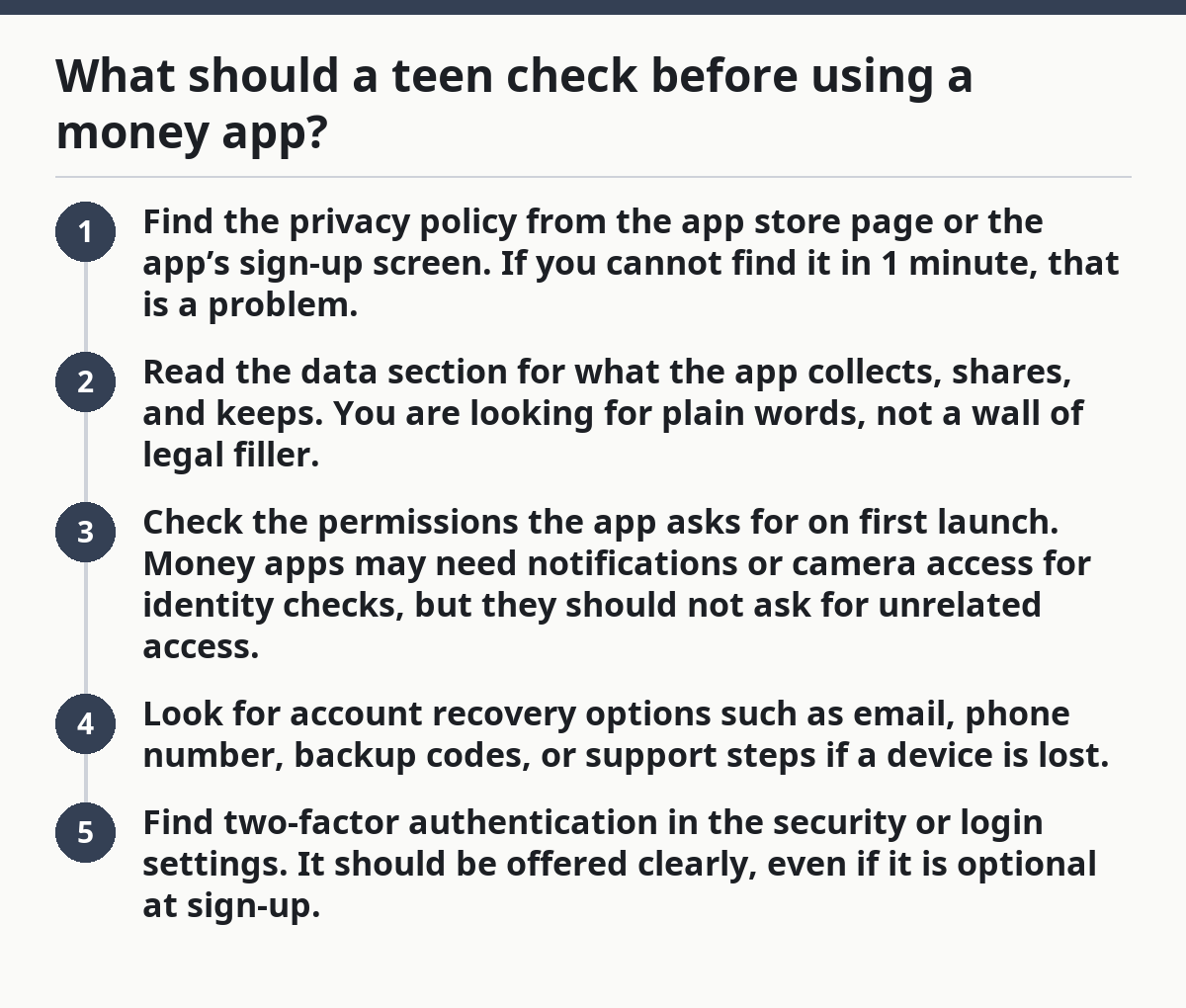
What should a teen check before using a money app?
A teen should check the privacy policy, the permissions, the recovery options, and the company name before opening an account. Those four checks usually tell you more than the app’s homepage ever will.
Start with the basics:
- Find the privacy policy from the app store page or the app’s sign-up screen. If you cannot find it in 1 minute, that is a problem.
- Read the data section for what the app collects, shares, and keeps. You are looking for plain words, not a wall of legal filler.
- Check the permissions the app asks for on first launch. Money apps may need notifications or camera access for identity checks, but they should not ask for unrelated access.
- Look for account recovery options such as email, phone number, backup codes, or support steps if a device is lost.
- Find two-factor authentication in the security or login settings. It should be offered clearly, even if it is optional at sign-up.
A good money app explains what happens if you lose your phone, change your number, or forget your password. A poor one makes recovery sound vague or impossible.
The truth is, a teen does not need to understand every legal line. A teen does need to spot the difference between a clear policy and a document that seems built to confuse.
Read the privacy policy like a dealbreaker list
A privacy policy is useful only if it tells you, in plain terms, what data the app takes and who gets it. If the policy hides behind vague words like “partners” or “affiliates” without naming categories, that is a warning.
The important parts are usually short, even if the full policy runs long. Look for these phrases and make a note of what they mean:
- Data collected: name, email, phone number, location, contacts, device data, or transaction history.
- Data sharing: whether data goes to marketing partners, analytics services, identity checks, or advertisers.
- Data retention: how long the app keeps the data.
- Teen or minor rules: whether the company treats younger users differently; if you are unsure how those rules apply, a parent, guardian, or other qualified professional can help interpret them, and the company’s help pages or privacy notice should also be checked.
- Account closure: whether data is deleted, held, or kept for legal reasons.
Here’s the catch:
- If the policy says the app may collect contacts, location, or device identifiers, ask why those are needed for a money app.
- If it says data can be shared with “service providers,” look for examples.
- If it mentions advertising IDs or cross-app tracking, that is a sign the app may be using your activity beyond basic payment service.
A money app can be safe and still collect some data. The issue is whether the collection makes sense for the service and whether the sharing is explained. A teen should be able to answer, in one sentence, “What do they collect, and who gets it?” If that sentence is impossible, do not sign up yet.
Which permissions are normal, and which ones are red flags?
Normal permissions are the ones that match the job of the app; red flags are the ones that have no clear reason. A money app may reasonably ask for camera access, notifications, or biometric login support, but it should not ask for a long list of extras.
On a phone, the permission prompt is one of the easiest places to catch a bad app. Stop and read each prompt before tapping allow.
Use this quick filter:
- Camera: normal if the app scans a card or ID.
- Notifications: normal if the app sends payment alerts or fraud alerts.
- Contacts: suspicious unless the app clearly explains how contacts are used for sending money.
- Location: only makes sense in narrow cases, such as fraud checks or legal requirements, and should be explained.
- Microphone, photos, files, or Bluetooth: ask why they are needed if the app does not clearly say.
If the app asks for a permission during sign-up and the reason sounds thin, deny it and see whether the app still works. A good app usually does not break just because you said no to unrelated access.
On the flip side, do not confuse a legitimate permission prompt with a green light. A clean app can still share data too widely. Permission checks and privacy-policy checks have to work together.
How can a teen tell if a money app is fake?
A teen can tell a money app is fake by checking whether the name, publisher, website, and support details all match. Copycat apps often get one of those wrong, and that mismatch is easier to spot than people think.
The main trick is simple: compare the app store listing to the company’s real website. The names should line up exactly, the support email should use the company domain, and the branding should not wobble from one page to the next.
Watch for these signs:
- A publisher name that is close to a known brand but not exact.
- A support email from a free email service instead of the company domain.
- Review patterns that look fake, such as many short comments posted around the same time.
- Screenshots that promise money, prizes, or approval with no explanation.
- Sign-up screens that ask for too much before you can even see the service.
If you see a clone app, do not keep poking around out of curiosity. The safe move is to back out and compare it with the official app store entry from the company’s own site.
Here’s why this matters: fake money apps do not always look cheap or messy. Some look polished enough to fool a careful teen for 2 minutes, which is exactly why the publisher check matters.
Does two-factor authentication mean the app is safe?
Two-factor authentication is a good sign, but it does not make a money app safe by itself. It only means the app has one more lock on the door; it does not tell you whether the house is sound.
A money app should offer two-factor authentication somewhere in account settings or sign-up security options. If it supports it with a trusted app, text message, or passkey, that is better than having nothing at all.
Still, keep the trade-off in view:
- Good sign: the app offers extra login protection, recovery steps, and clear support help.
- Bad sign: the app has 2FA but hides what data it shares or who can access it.
- Bad sign: the app says it supports security but makes recovery so weak that a lost phone could lock you out for good.
A teen should treat two-factor authentication as one check in a larger list, not the whole list. A secure login does not fix a bad privacy policy, and it does not make a sketchy publisher trustworthy.
The best part? Once you know what to look for, this check takes about 5 minutes, not an afternoon.
What should scare you off before you finish sign-up?
A teen should back out if the app hides its company, asks for odd permissions, or refuses to explain recovery and data sharing clearly. Those are not small flaws; they are reasons to stop.
The most common mistakes are easy to miss because they happen during the rush to get started. A teen may tap through prompts, skip the policy, and think the app is fine because it looks modern.
Avoid these traps:
- Skipping the policy: you miss data-sharing terms that matter later.
- Trusting the star rating alone: fake or low-value reviews can hide a weak app.
- Allowing every permission: you give away access that the app may not need.
- Ignoring recovery details: you may not get back in if your phone or number changes.
- Using a lookalike app: you may hand your data to the wrong company.
A safe app should not require guesswork. If you need to decode the fine print just to know who can see your data, the app is doing too much hiding. That is the wrong fit for a teen.
This is the same reason the teen online money safety and scam prevention hub matters: app checks are only one layer, and the reader needs the full picture before money or identity data is on the line.
A simple 5-minute check before you sign up
A teen can make a decent safety call in 5 minutes by checking the publisher, policy, permissions, recovery, and security settings in that order. The point is not perfection; the point is to catch obvious problems before any account is opened.
Follow this order:
- Open the app store listing.
- Match the developer name to the real company name.
- Open the privacy policy and find data collection and sharing.
- Read the first permission prompts and deny anything that seems off.
- Look for account recovery and two-factor authentication in the sign-up or settings flow.
If the app passes those checks, it still deserves caution. A safe sign-up does not mean the app is a great fit for every teen, and a teen should still think about who can see transaction alerts, linked cards, and personal data. A money app that is clear, boring, and plain in its rules is usually better than one that sounds exciting and hides the details.
FAQ
what should teens check before using a money app?
Teens should check the app store listing, the privacy policy, the permissions, and the recovery options before signing up. The company name should match the developer name, and the policy should explain what data is collected and shared. If any of that is vague, the app is not ready for trust.
how can a teen tell if an app is fake?
A teen can tell an app may be fake if the publisher name, support email, and website do not match the real company. Fake apps often have copied screenshots, odd grammar, or review patterns that look unnatural. The safest move is to compare the listing with the company’s official site before downloading.
should a teen read the privacy policy of a money app?
Yes, a teen should read the privacy policy, at least the parts about data collection, sharing, and retention. The whole document may be long, but the useful parts are usually specific. If the policy hides who gets the data or why it is collected, that is a reason to pause.
what permissions should a money app ask for?
A money app may reasonably ask for camera access, notifications, or some identity-check permissions. It should not ask for unrelated access without a clear explanation, especially contacts, location, files, or microphone. If the permission does not connect to a real app feature, deny it and reassess the app.
Drafted with AI; not yet reviewed by a person.